x
Sign Up
Free trial. No credit card required.
Email already taken. Please sign in or try another email.
I agree to the terms of service and privacy policy.
Please agree to the terms of service and privacy policy to continue.


Free trial. No credit card required.
Please check your email.
We've sent you an email. Please check your inbox and follow the link provided to verify your email address.
Learn how Heymarket can help your business create personalized conversations at scale.
Book a DemoHeymarket’s messaging app helps businesses securely send texts and emails throughout the customer lifecycle. Explore how our intuitive messaging solutions can help your team respond faster, automate routine work, and grow revenue.
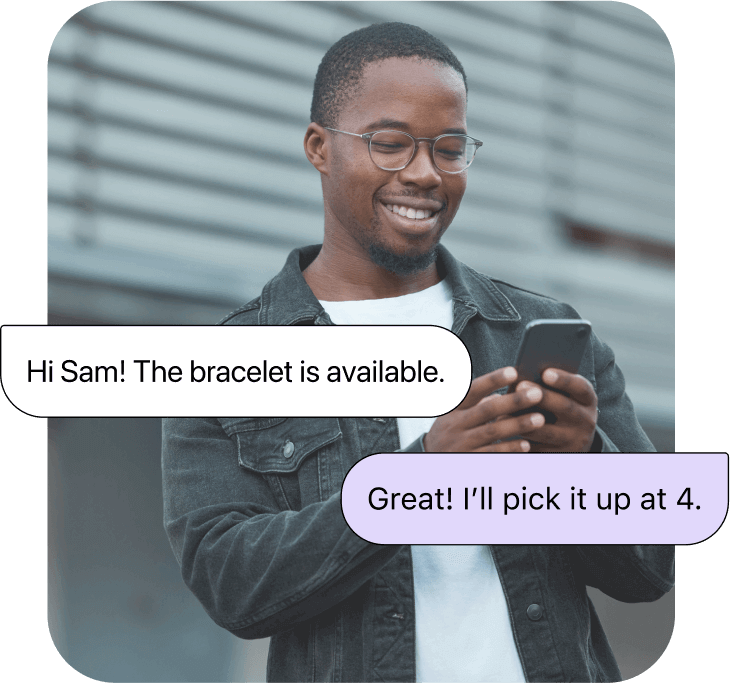

Connect to customers on the channel they answer fastest, then keep the whole conversation in one place. Provide personalized customer service that lifts your response rate.

Qualify and convert leads faster by reaching them where they actually reply. Respond immediately and send personalized follow-ups with sales messaging.

Personalized campaigns drive revenue across every channel. Create targeted lists and nurture leads with marketing via text, RCS, and email.

Reach employees and customers on the channels they check most to make scheduling changes and improve operations.

Screen candidates, coordinate interviews, and complete offers quickly with text recruiting and email follow-ups.
Heymarket’s business messaging app offers a wide range of tools to help you create personalized conversations.

AI agents can reply to routine questions using content you’ve approved, book appointments and sync them to your calendar, and more. Choose whether they send on their own or draft messages for a teammate to review, and set routing rules that hand sensitive conversations to a person.
Text with multiple contacts in a single conversation. Group text messaging helps you break down communication silos and ensure every contact stays up-to-date with important information.

Streamline every aspect of your messaging with automations that trigger on keywords, time delays, missed replies, or field changes in Heymarket and your connected CRM. Chain actions together to send a text or email, assign a teammate, add a tag, or enroll a contact in a campaign.

Securely send administrative texts like reminders, updates, and portal notifications. Build patient trust with HIPAA-compliant texting and SOC 2 Type 2 tools that protect your data.

Keep customers updated about appointments, events, or details by sending personalized email and text reminders. Ensure customers don’t forget about important payments or paperwork.
Our specialized agents work alongside your team in your shared inbox to speed up response times, schedule meetings,
and enrich data to reduce manual work.

Answers FAQs instantly from your approved knowledge base. Works across all your messaging channels and gets smarter every day.

Books, reschedules, and cancels appointments via text. Detects intent, presents available slots, and sends confirmations automatically.

Extracts and enriches lead data from every conversation — name, company, intent, budget, timeline — and syncs it to your CRM.

50% appointment book rate through text
“We love Heymarket. It’s great having a separate inbox for customer conversations. It’s easy to keep clear. And bookings have increased!”
Read the story
60% response rate achieved
“Heymarket’s Salesforce SMS integration makes messaging leads and customers a smooth experience for our agents.”
Read the story
20% response rate increase
“Heymarket has empowered our trainers to build an ongoing relationship with campers, dramatically increasing attendance and retention.”
Heymarket combines all of the best business messaging solutions into one robust platform built to help you communicate at scale.
 Shared inbox
 Private comments for teams
 Lists & campaigns
 Performance
 CSAT surveys
 AI-driven insights
 Administrative controls
 Automations
Considering business messaging for your team? Here are the questions we hear most from companies evaluating an SMS solution.
What is a business messaging solution?
A business messaging solution is a platform that lets teams send and receive messages across channels like SMS and email from business numbers and accounts, rather than personal ones. It typically includes a shared inbox so multiple people can work the same conversations, plus tools for campaigns, automations, contact management, and compliance.
Can I text from my existing business phone number?
Yes. Heymarket can text-enable the landline, VoIP, or toll-free number your customers already know, so you keep the number on your website and business cards while adding texting to it. Voice service continues to work exactly as it did. If you’d rather start fresh, you can also get a new number.
How long does it take to get started?
Most teams are sending messages the same day they sign up. Text-enabling an existing number takes a few hours in most cases, and importing contacts, building lists, and setting up templates can happen while that processes. Carrier registration for high-volume campaign sending takes longer and runs in parallel.
What are AI agents?
AI agents are software assistants that handle conversations on their own instead of just suggesting replies for a person to send. In business messaging, that means answering routine questions from your knowledge base, booking appointments, and capturing lead details automatically. Or, they can hand a message off to your team when human judgment is required.
Heymarket’s agents run inside the same inbox your team already uses, so nothing requires a separate system. Integrations can also connect them to your CRM for lead enrichment or booking appointments automatically via Google Calendar and other apps.
Can I send emails from the same platform?
Yes. Heymarket handles one-to-one email alongside SMS in the same shared inbox, with both channels sharing the same contact records, templates, and automations. Broadcasts and campaigns can go out over either channel, so you can reach contacts wherever they respond.
Is business texting HIPAA compliant?
It can be, depending on the platform. Heymarket is HIPAA compliant and SOC 2 Type 2 certified, and signs a BAA with healthcare customers. That supports administrative messages like appointment reminders, portal notifications, and billing updates. Confirm what your organization permits before texting anything involving patient health information.
Which teams use omnichannel business messaging?
Support, sales, marketing, operations, and recruiting all use business messaging, usually for different reasons. Support teams cut response times, sales teams reach leads faster, marketing runs campaigns, operations coordinates schedules and shifts, and recruiters move candidates through hiring without phone tag.