x
Sign Up
Free trial. No credit card required.
Email already taken. Please sign in or try another email.
I agree to the terms of service and privacy policy.
Please agree to the terms of service and privacy policy to continue.


Free trial. No credit card required.
Please check your email.
We've sent you an email. Please check your inbox and follow the link provided to verify your email address.

Learn how Heymarket can help your business create personalized conversations at scale.
Book a DemoReach customers on every channel from an omnichannel HubSpot inbox that cuts response times by up to 60%. Every conversation syncs to the records your team works from, with AI agents handling routine requests along the way.
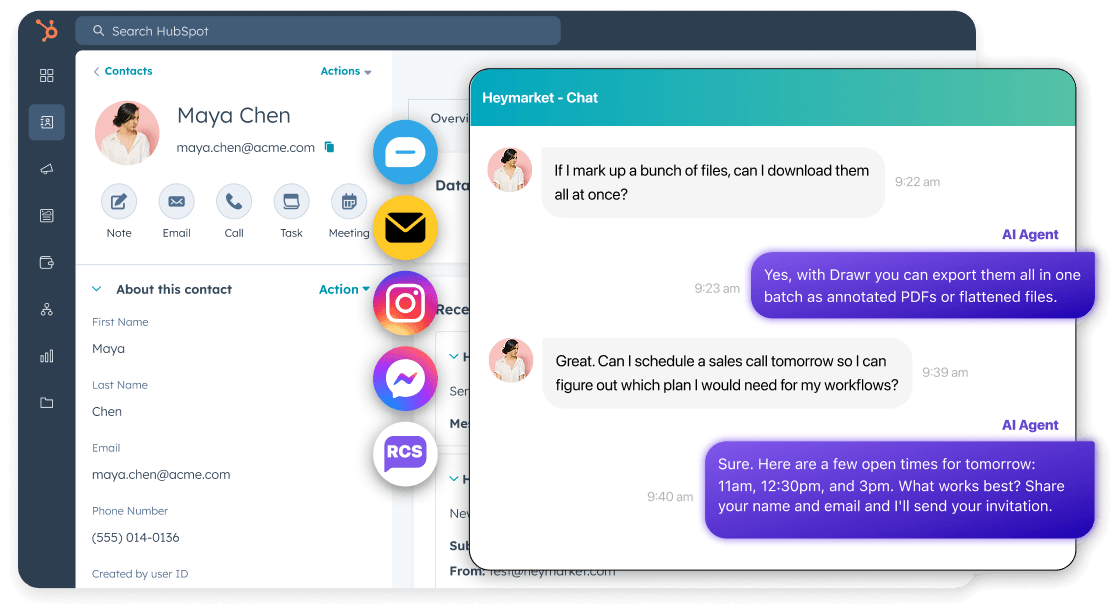
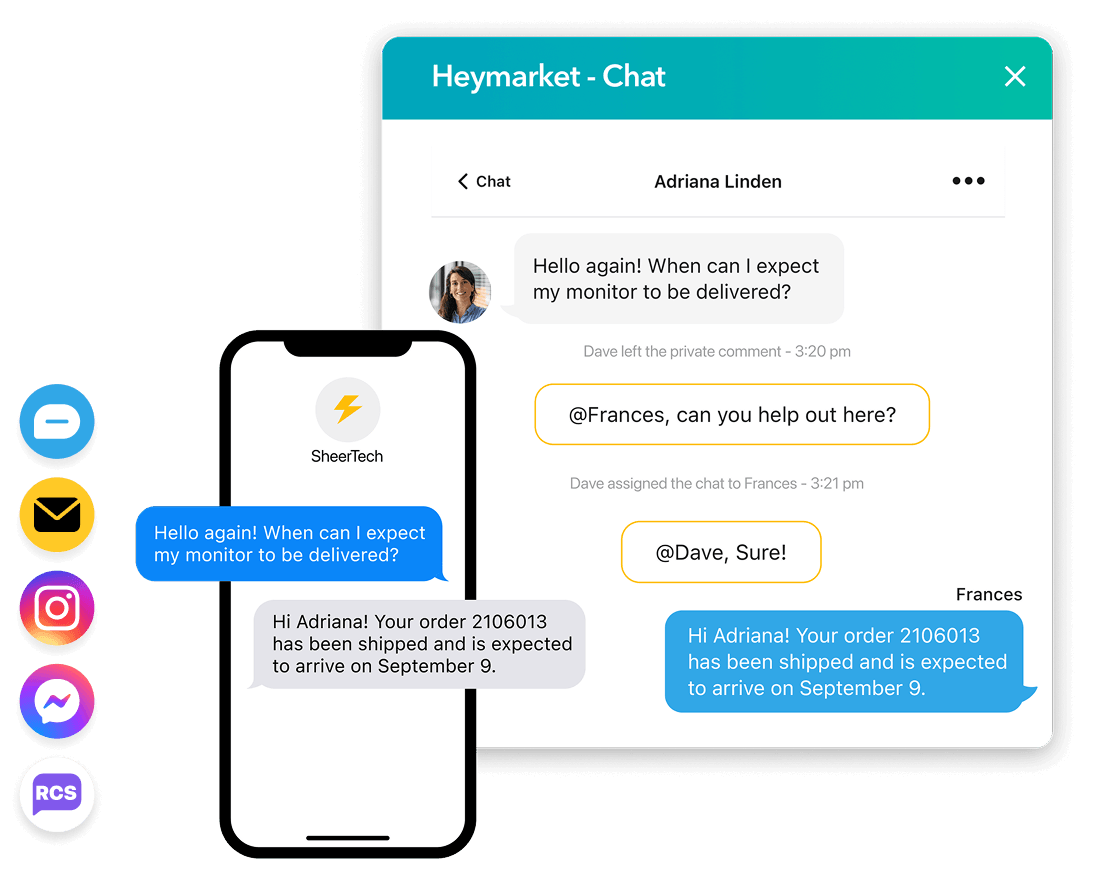
Have two-way conversations with any contact without leaving HubSpot. Respond to leads faster across native HubSpot texting, RCS, email, and messaging apps like Apple Messages for Business and Facebook Messenger, all from one AI-powered shared inbox.
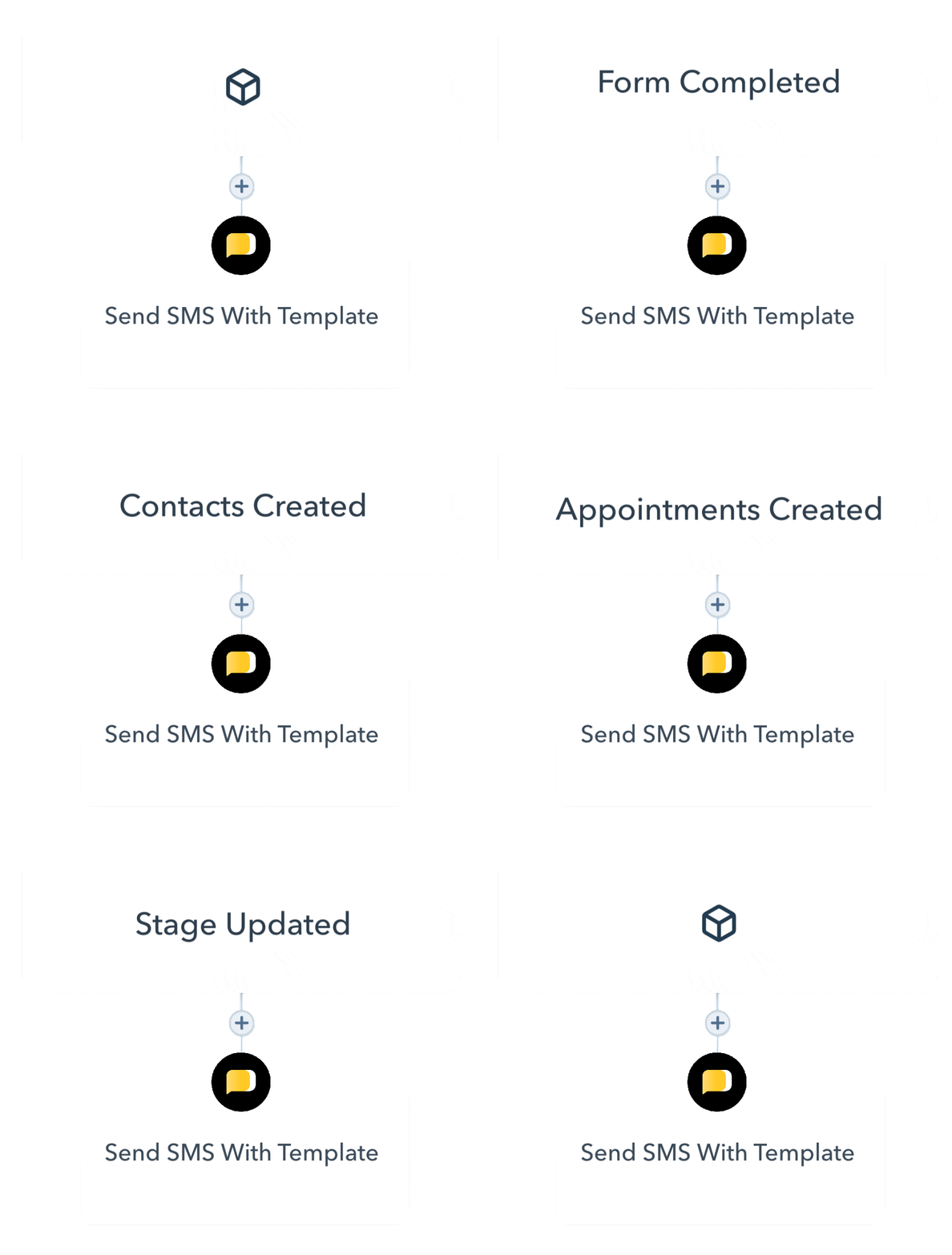
Add a HubSpot SMS integration with omnichannel messaging capabilities in just a few minutes. Heymarket works with every HubSpot object, including custom ones, so there’s nothing to remap and no change to how your team works. Start conversations from any record type, with every message logged back to it automatically and available to your workflows.
Our specialized agents work alongside your team in your shared inbox to speed up response times, schedule meetings,
and enrich data to reduce manual work.

Replies instantly using your approved content, assigned from the same HubSpot dropdown your team already uses. Every response is marked as AI-sent in the thread for full auditability.

Detects booking intent, presents available times, and sends confirmations automatically, with appointments created as HubSpot Events on the contact record.

Extracts contact details, intent, and buying signals from every inbound message and syncs them to your HubSpot records automatically.
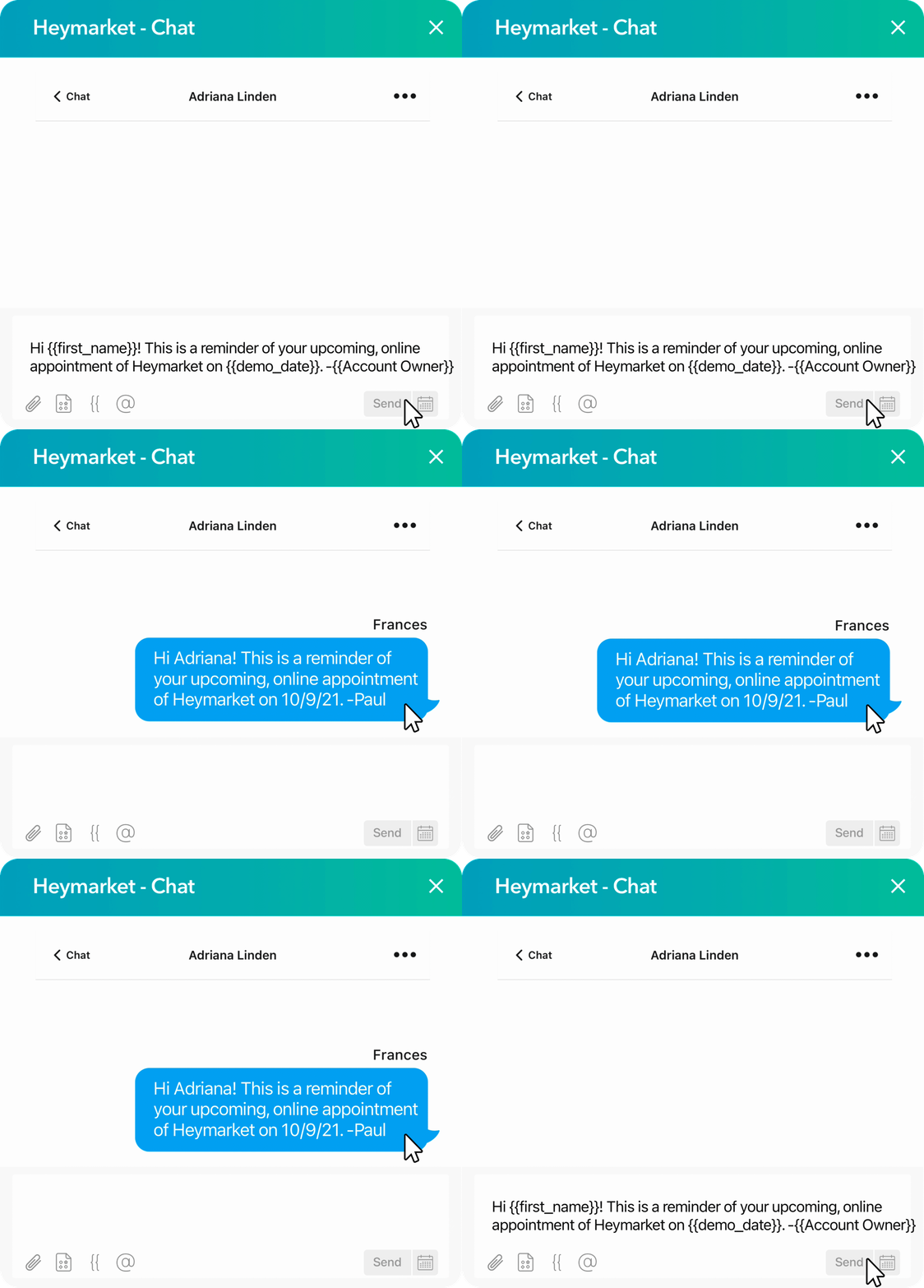
Pull any HubSpot property into a message as a merge token, including fields on custom objects, so a text can greet a lead by name or reference their renewal date. Reach multiple contacts at once with lists and campaigns, or message a group in a single thread. AI agents pull from the same records and conversation history as your team, so their replies carry the same context.
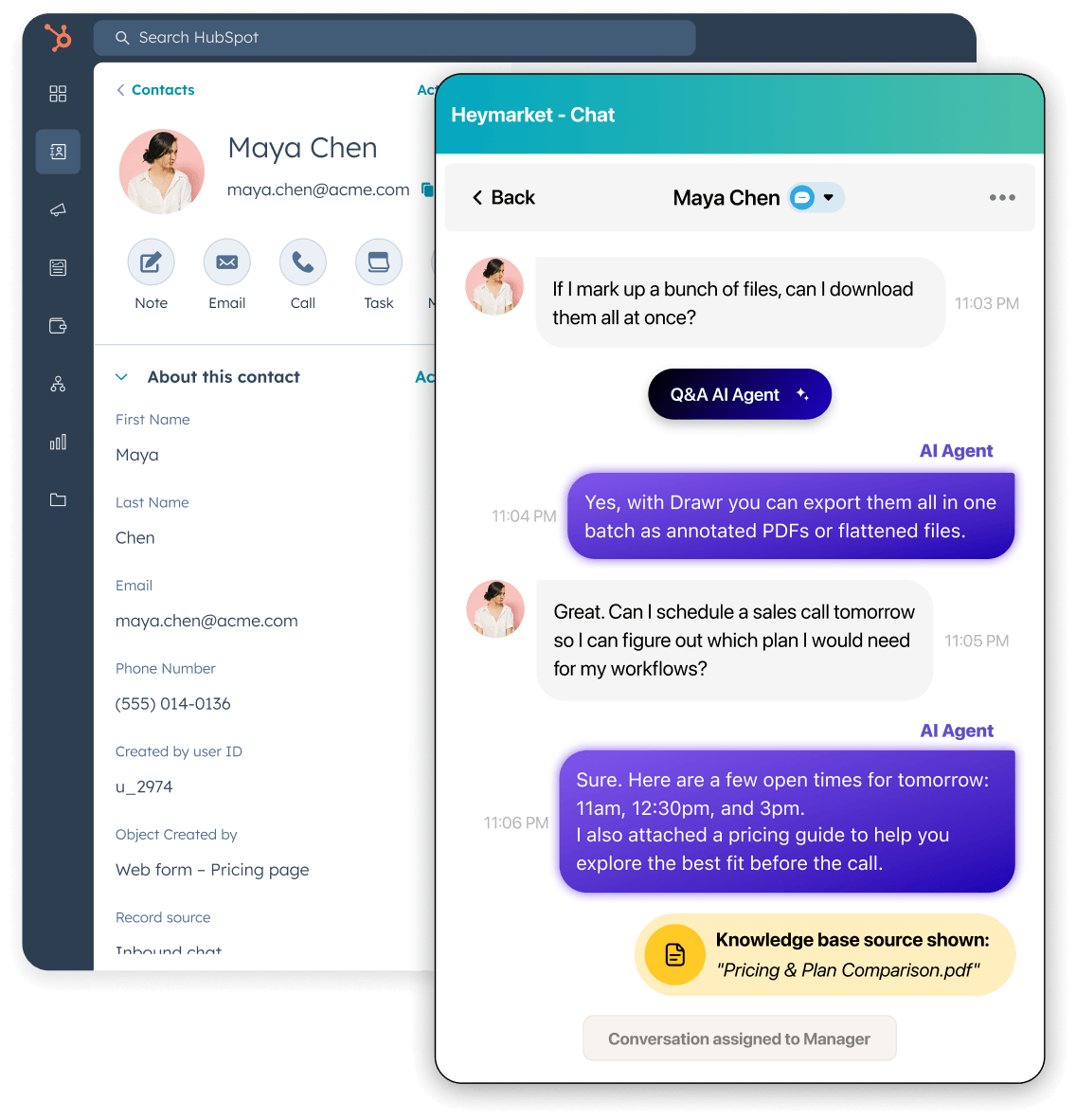
Heymarket’s AI agents pick up conversations as they arrive, so no one is left waiting on a reply. A lead who texts at 11 PM gets an answer that night, and your team starts their day with conversations that are already handled or ready to pick up.
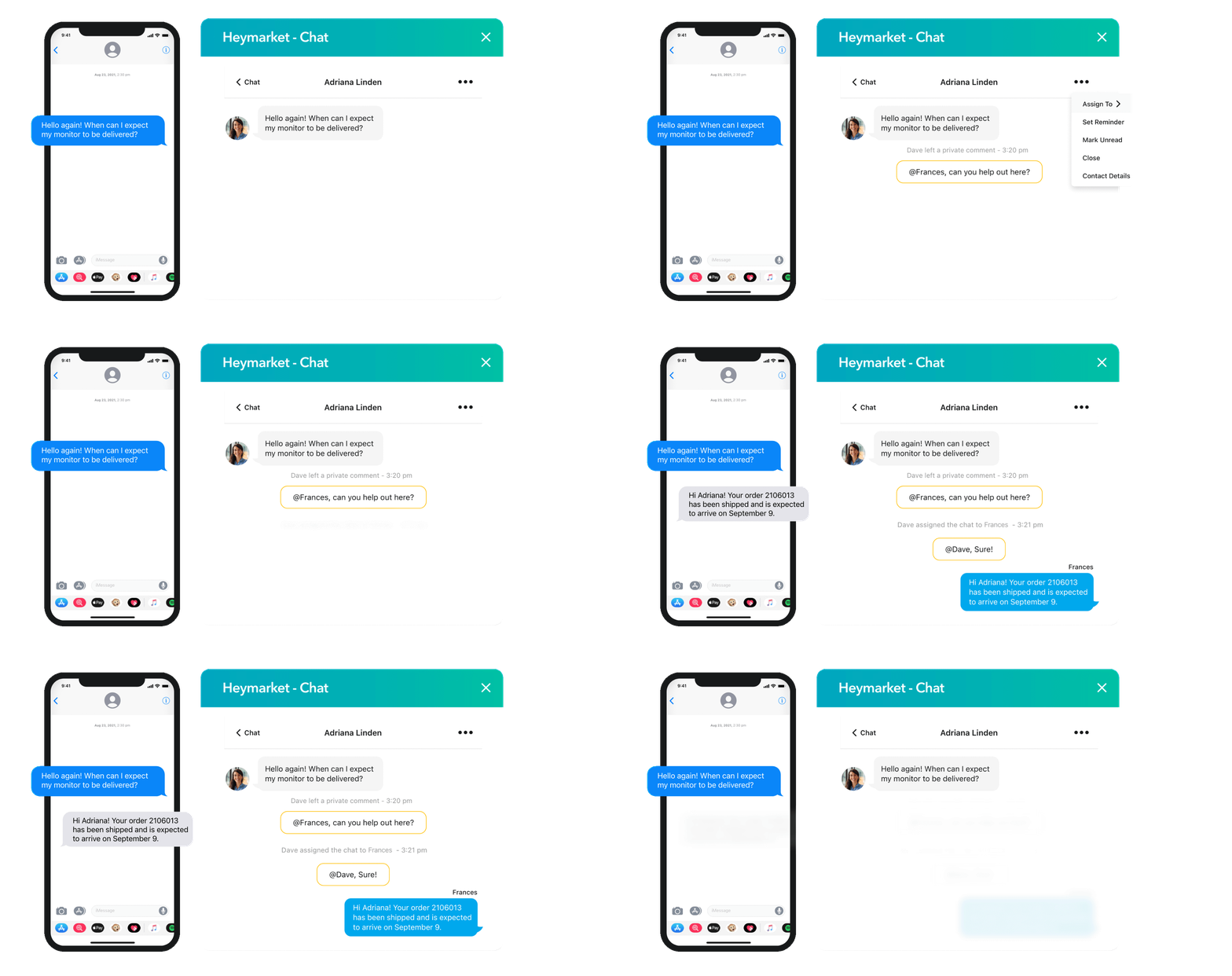
Route messages to the right team member with a simple @ mention, and leave private comments inline so your team can work through a thread together. When a conversation needs a person, AI agents escalate to the right teammate with the full thread intact, right from the contact’s record.
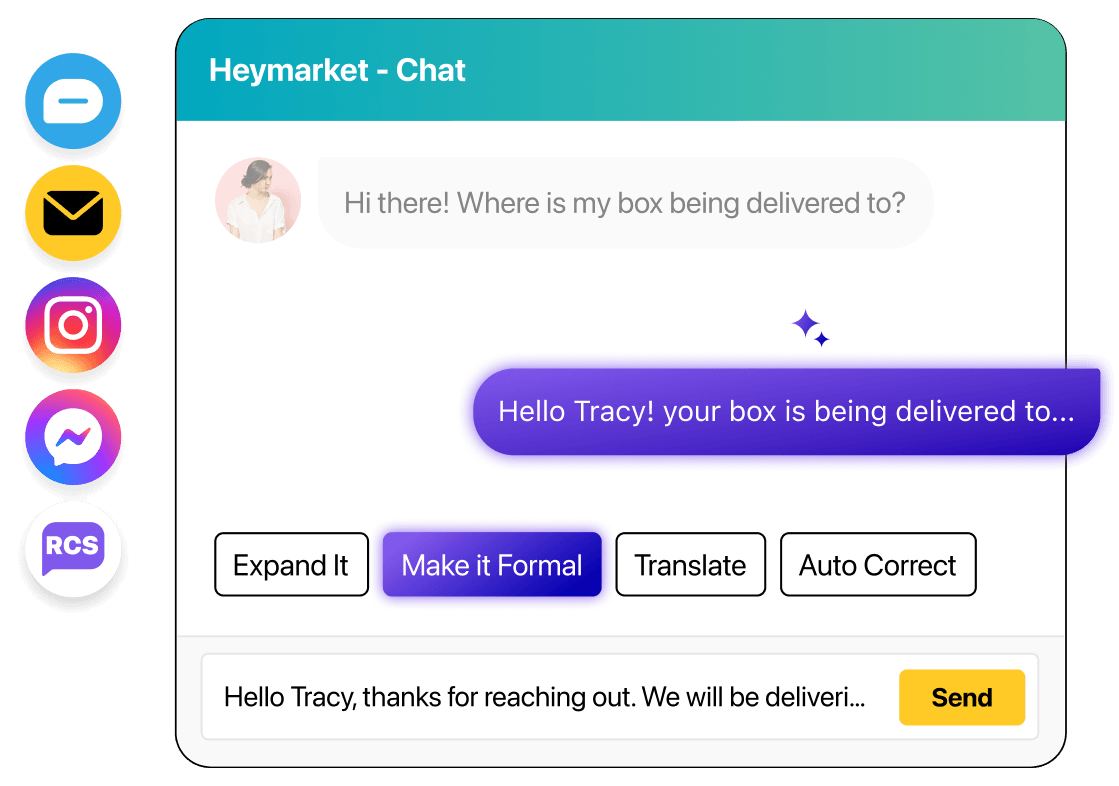
Draft a message — or start with a suggested reply — and let AI shorten it, expand it, adjust the tone, or translate it, so every message goes out clear and on-brand in less time. Summarize a long thread to see what’s happened, and check sentiment to see how the customer feels, so reps know what to say next without reading back through everything.
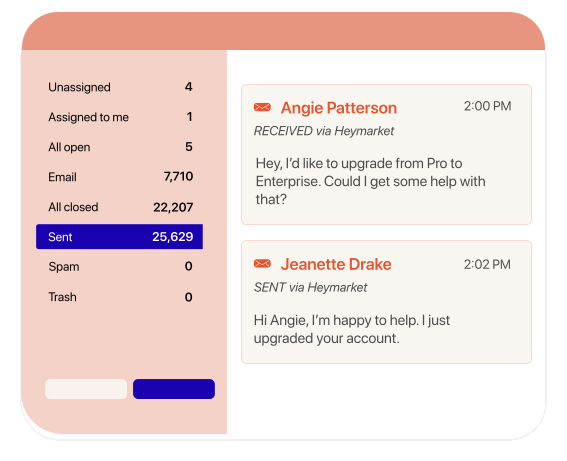
Sync your Heymarket inboxes with HubSpot Conversations so your team can view, manage, and reply to texts and emails wherever they already work. AI agents work the same threads, so a conversation that starts with an automated reply stays in one place when a teammate picks it up.
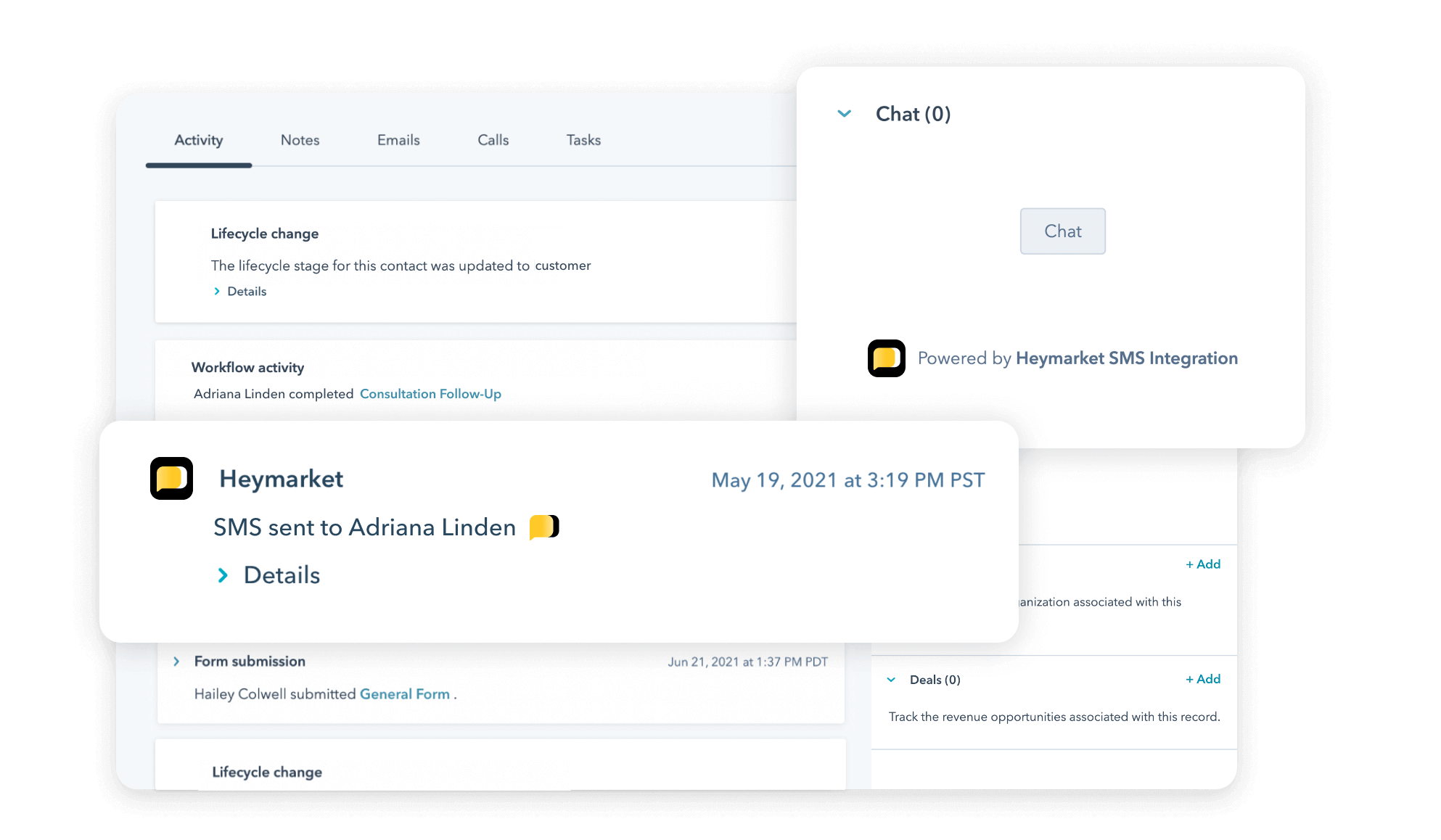
Real-time 2-way sync keeps Contacts, Timelines, custom objects, and custom properties current as conversations happen. New contacts are created automatically when someone texts or emails you for the first time, and details your Lead Enrichment Agent pulls from a conversation are written to the record automatically.
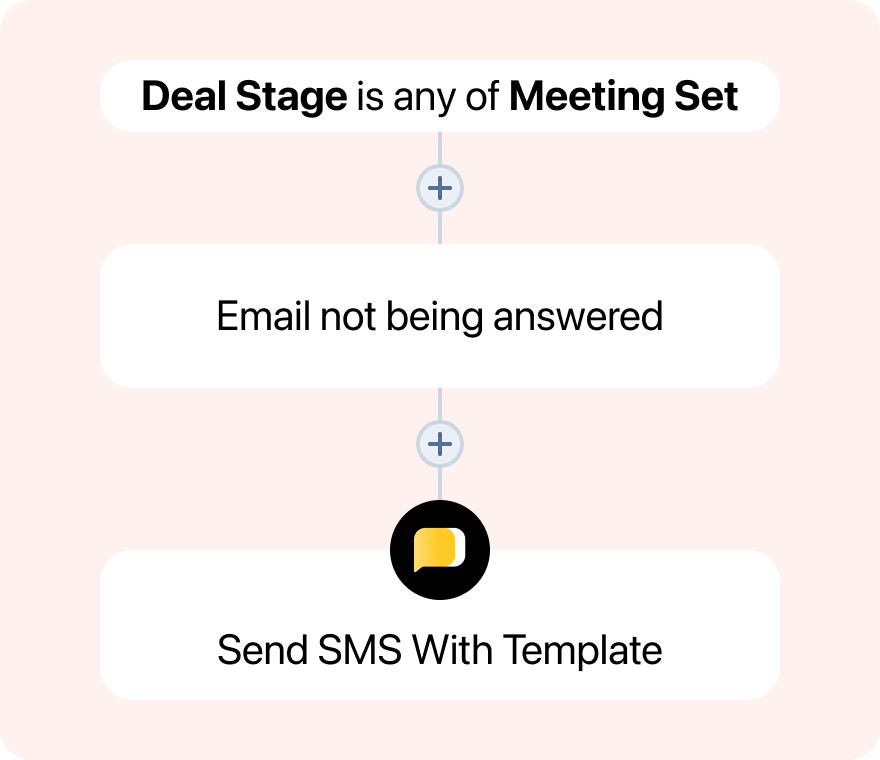
Build messaging into your HubSpot workflows to reach contacts at any point in the customer lifecycle. Send a welcome text when someone signs up, or follow up by text when an email goes unanswered, with delays and templates between steps. Inbound messages can trigger workflows too, so a reply or a change on a custom object starts the next automation on its own.
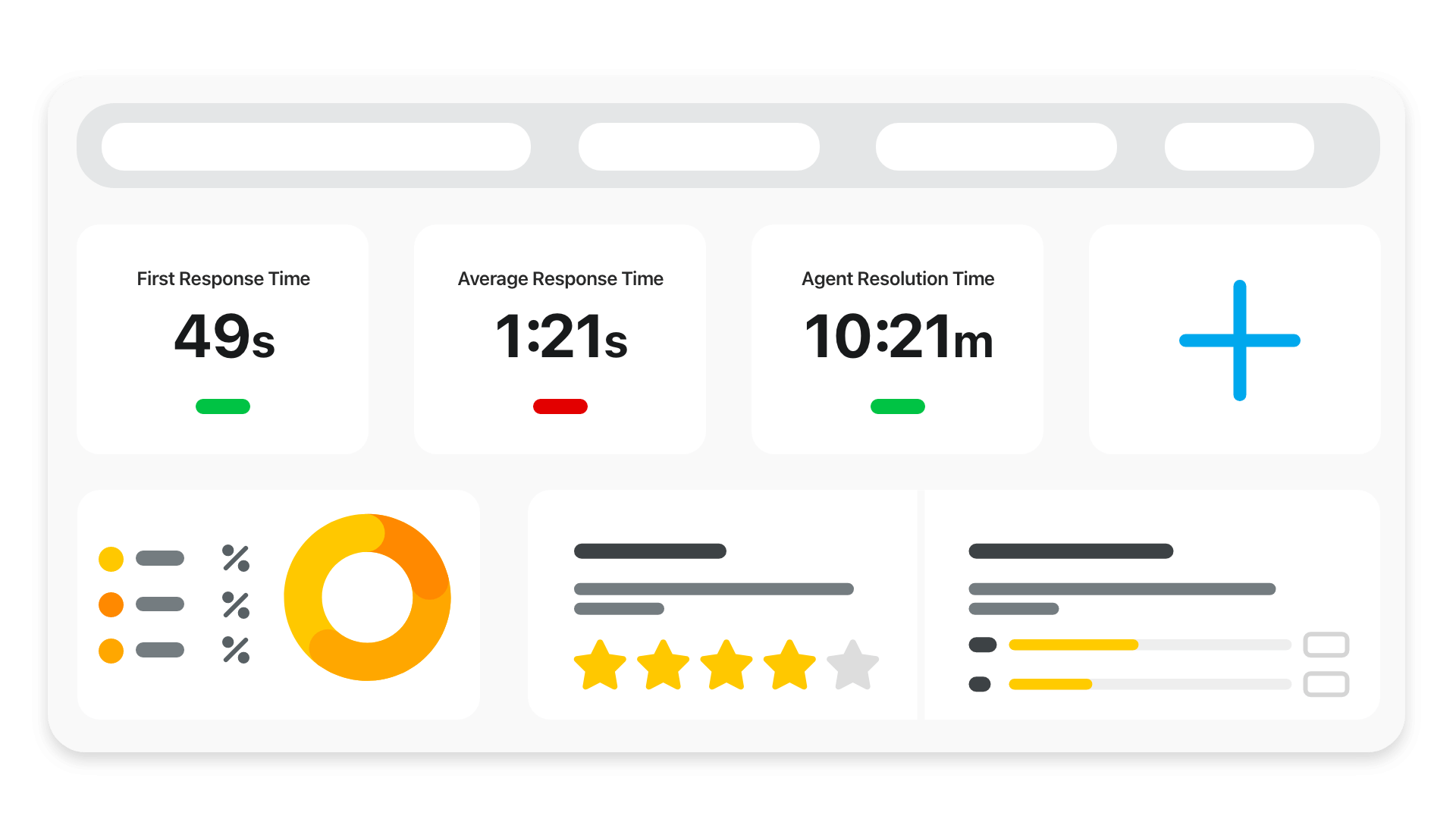
Get insights into CSAT, response times, unsubscribes, channel performance, and team productivity, including conversations handled by AI agents, with reports running natively in HubSpot so there’s nothing to export. Set up multiple inboxes, teams, and permission sets side by side in a single HubSpot instance, so each group works from its own view without leaving your HubSpot setup.
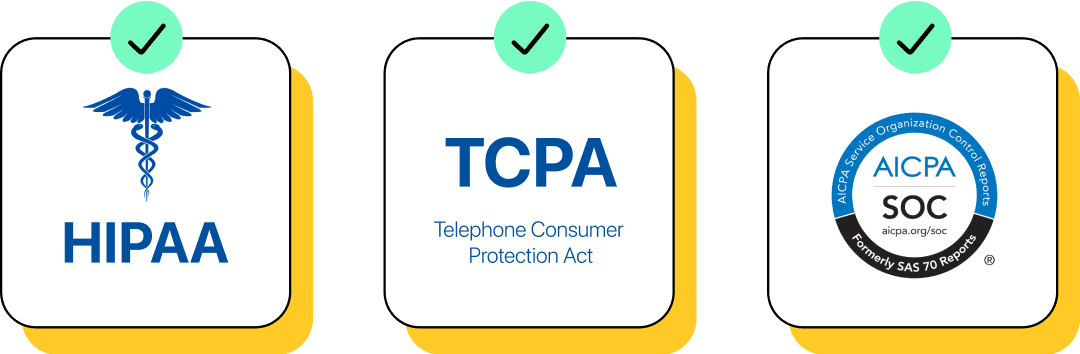
Heymarket is SOC 2 Type 2, HIPAA, and TCPA compliant, with 10DLC registration, SAML SSO, MFA, and encryption built in. Capture opt-in through HubSpot forms, chatflows, or web chat, and manage opt-outs automatically as customers reply. The same protections cover your AI agent’s knowledge base, which stays isolated to your account and is never used to train our base model.
Add messaging and AI agents to the HubSpot instance your team already runs, so you reach more leads, respond faster, and keep every customer interaction in one place.
Book a Demo Add Texting for HubspotLooking for more information about HubSpot SMS messaging or HubSpot emailing? We’ve shared some answers below. Please reach out to our team if you have any more questions.
Can HubSpot send text messages?
HubSpot can send SMS when businesses connect a HubSpot texting integration, like Heymarket. These integrations allow you to start texting from HubSpot and receive and manage texts within your HubSpot account.
Does Heymarket support RCS in HubSpot?
Yes. Heymarket supports RCS alongside SMS, email, and other messaging channels in the same HubSpot shared inbox. RCS adds rich cards, carousels, quick-reply buttons, and a verified branded sender to what SMS can do, and all conversations log to HubSpot Contact records and Timelines automatically.
What is omnichannel messaging in HubSpot?
Omnichannel messaging means reaching customers across SMS, MMS, RCS, email, web chat, and messaging apps like WhatsApp and Apple Messages for Business, all from one place with a consistent experience on every channel.
With Heymarket connected to HubSpot, your team can manage all of those conversations in a single shared omnichannel inbox, keeping contact records and timelines accurate without switching tools.
How does SMS work alongside email in HubSpot workflows?
Once you have opt-in consent, SMS and email can work in sequence within the same HubSpot workflow. You can start with a welcome text, trigger a new customer email promotion a few days later, then follow up with a triggered text sent 24 hours before the promo expires. This lets your team reach contacts on the channel most likely to get a response, without any manual effort.
What are AI agents in Heymarket's HubSpot integration?
AI agents are inbox-based assistants that handle conversations on your team’s behalf across SMS and email. Unlike keyword-based automations, they read the intent behind a message. The same inbound conversation can answer a question from your knowledge base, kick off a booking flow, or enrich the contact’s HubSpot record with extracted details, all based on what the customer actually said.
Can I review AI agent replies before they send?
Yes. In Supervised mode, replies are drafted for a teammate to send, edit, or cancel before anything reaches the customer. You can set that preference per inbox, so sensitive conversations get a human check while routine ones keep moving.
Can HubSpot log texts?
HubSpot can log text conversations with the help of a text messaging integration. Certain HubSpot apps log SMS messages on HubSpot contact records, and in a shared inbox. Here’s a step-by-step guide to setting up a HubSpot SMS integration.
Can I use HubSpot custom objects with Heymarket’s integration?
Yes. Heymarket works across HubSpot’s standard and custom objects, so you can send messages from a candidate, property, or patient record the same way you would from a contact. Conversations log to the relevant record in real time, custom object fields can be used for personalization, and custom object events can trigger workflow actions.
What other platforms does Heymarket integrate with?
Beyond being available on the HubSpot app marketplace, Heymarket integrates with Salesforce, Microsoft Teams, Slack, Zendesk, Shopify, Zapier, and more. Applicable integrations keep contact records and conversation history in sync automatically, so your team’s data stays accurate across tools without manual updates.