

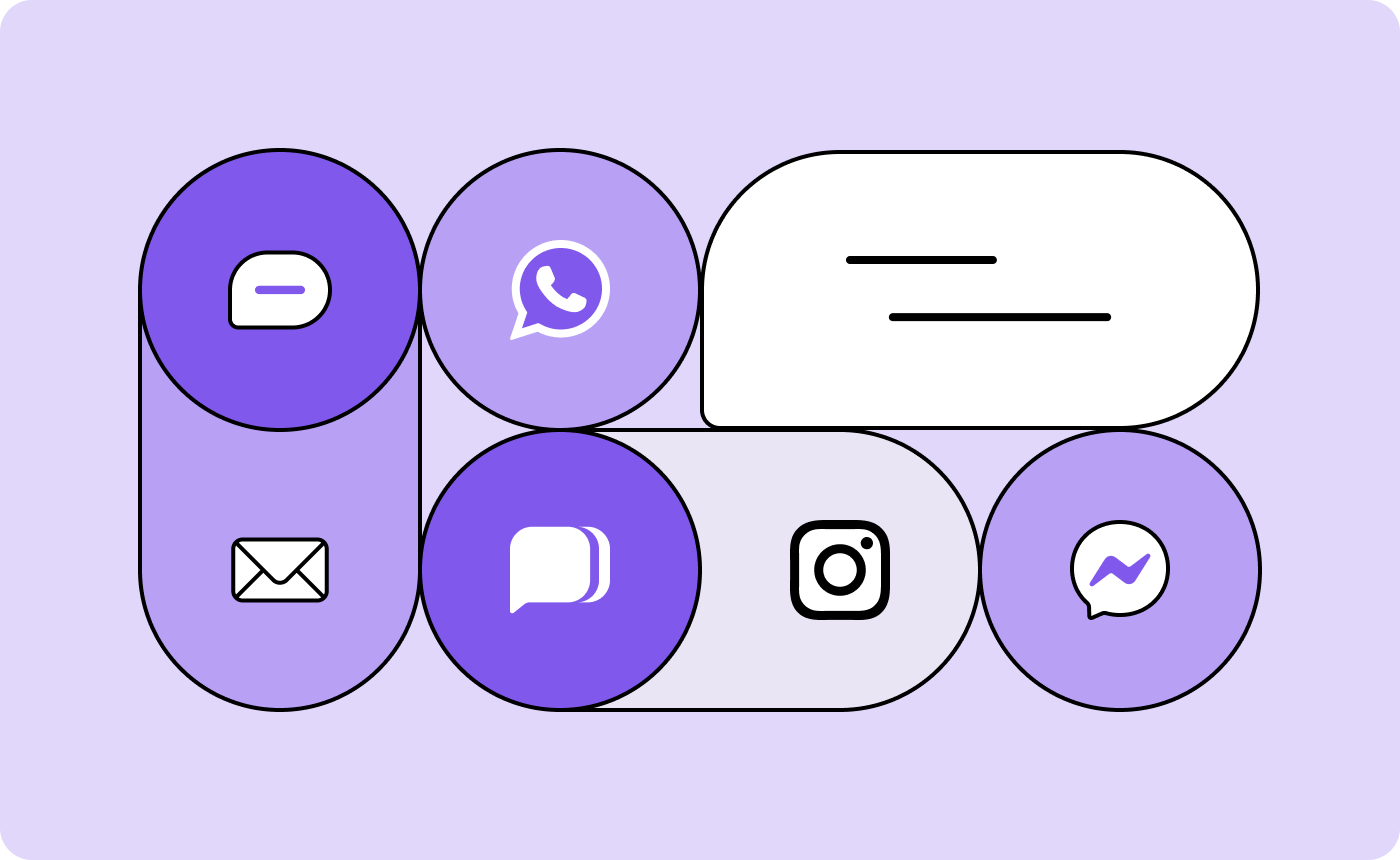
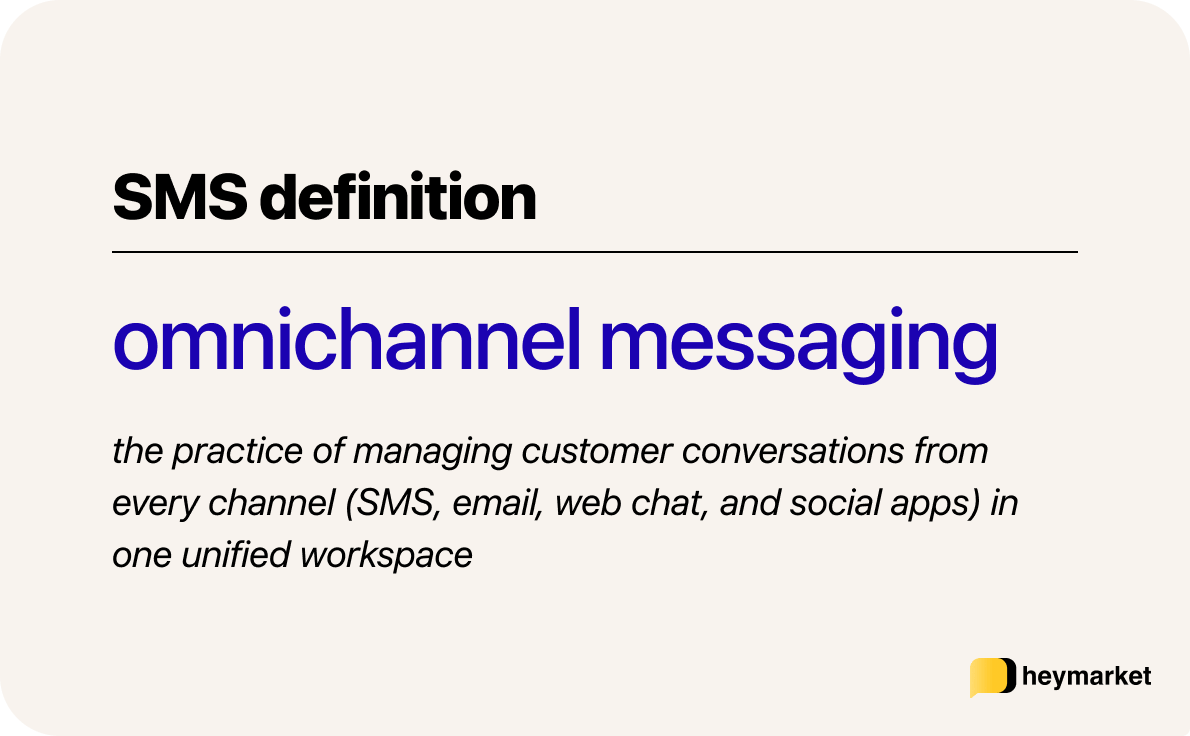
Customers rarely stay on one channel, and they expect each reply to pick up where the last conversation left off. But when every channel’s handled separately, that history doesn’t travel with them. Omnichannel messaging is the practice of managing customer conversations from every channel—SMS, email, web chat, and apps like Instagram and Facebook Messenger—in one unified workspace. With it, a customer can switch channels mid-conversation without starting over.
In this article, we’ll explore what omnichannel messaging looks like, what benefits it offers, how to start using it, and more.
What is omnichannel messaging?
Omnichannel messaging means that instead of switching between platforms or inboxes, your team works from a single, shared view of each customer’s conversation history. Every interaction, regardless of channel, stays in one thread, so responses can be timely, relevant, and informed by everything that came before.
In comparison, a multichannel communication strategy offers multiple communication options, but each one operates in isolation. Each tool needs its own templates, data management, and workflows. Team members have to check multiple platforms to review customers’ interactions. This not only increases overhead but also makes it harder to maintain consistency in tone, timing, and customer experience.
An omnichannel strategy connects those channels on the backend so your team can deliver a more consistent, efficient experience, without jumping between tools or losing context.
For example, a customer might email your support team on Monday, then follow up via SMS on Wednesday. With an omnichannel system, both messages appear in the same thread, so any team member can jump in and reply with the full conversation in view.
What are the benefits of omnichannel messaging?
A shared history changes the first thirty seconds of every conversation. Instead of opening a text, checking whether the same customer emailed last week, and asking a colleague who handled it, whoever picks up the thread starts with all of it in front of them. It works the same way going out—you can see what’s already been said before you send anything.
In addition to helping team members communicate and respond faster, that shared context also means:
- Consistent answers on every channel: How a question gets answered stops depending on which channel it arrived through. That way, someone who asks about pricing by text and again by email hears the same thing both times.
- Fewer duplicate conversations: When every message lands in one thread, it’s clear what’s already been handled, so two people don’t answer the same question and follow-ups don’t go to someone mid-conversation.
- Contact details that stay current: With a CRM integration, new information from every channel updates the same record in tools like Salesforce or HubSpot. This ensures any information one team learns during a conversation is available to the next team as well.
With omnichannel messaging, nothing has to be reconciled after the fact, because the conversation was never split up to begin with.
Which teams benefit from omnichannel messaging?
Whether it’s providing a cohesive customer experience or streamlining internal communication, an omnichannel messaging strategy helps every team work smarter.
- Customer service can follow up across channels without creating duplicate tickets or losing context. An email inquiry can easily shift to SMS if a faster reply is needed, all within the same thread.
- Marketing gains more tools to reach customers effectively. Teams can launch campaigns via email, then send targeted SMS follow-ups to contacts who don’t engage, improving visibility without overwhelming inboxes.
- Sales gets a full view of every interaction, regardless of channel. That context helps reps personalize outreach, respond at the right moment, and move deals forward with confidence.
- Operations can send time-sensitive updates—like schedule changes or emergency alerts—across multiple channels at once, increasing the odds that messages are seen and acted on quickly.
- Recruiting can stay responsive throughout the candidate journey. Teams can answer questions, confirm interviews, and follow up with prospects across channels, without missing a beat or duplicating conversations.
Where omnichannel communication pays off most is during handoffs. For example, a customer service chat that happened via SMS can inform how the sales team reaches out through email with an upgrade offer, and a recruiter conversation that started via email outreach can transfer to texting for faster answers about paperwork or scheduling.
What channels does omnichannel messaging cover?
Customers pick a channel based on where they are and how fast they need an answer. Most businesses end up supporting four or five as a result, with an omnichannel setup that treats all of them as one conversation.
SMS, MMS, and RCS
One in three people check a text within a minute, and texting doesn’t ask anyone to sign up or install anything first. That combination makes it the most accessible channel available. Customers use it when they want a quick answer, and businesses use it for appointment reminders and other time-sensitive updates.
In both directions, messages stay short. Anything that needs an in-depth explanation or visuals added to it generally falls under another channel. MMS can work when a simple image needs to accompany a product delivery, but its data limits prevent most videos.
Rich communication service (RCS) goes further, allowing for read receipts, typing indicators, and multimedia elements without as strict of data limits. It also shows your business name and logo in place of a phone number, so recipients can see who’s messaging before they open it. Not every device and carrier supports it yet, so messages fall back to SMS when it isn’t available.
Email is where details live, including quotes, onboarding paperwork, order confirmation, and anything may need to be referenced later. It has more formatting options available than other channels as well, so sending attachments, links, and long explanations take a single email instead of multiple texts or a multi-channel conversation.
The trade-off is that most people check email on their own schedule, which means replies can take a day or more. But as a business, an omnichannel shared inbox receives emails alongside every other channel, so you can respond much faster to inbound messages. And if the conversation moves somewhere else, that email thread’s context is still available as reference.
Social and messaging apps
Instagram and Facebook Messenger messages often start from a post or an ad rather than a product page, so they’re usually about whether something’s in stock, what sizes you carry, and whether you ship somewhere.
Apple Messages for Business starts from a different place. Customers open it from a business listing in Maps, from Safari, or by asking Siri, which means they were already looking for you specifically. Those conversations tend to arrivecloser to booking an appointment or checking store hours before driving over.
These conversations are also the easiest to lose track of. They arrive outside the tools most teams work in, and unless they land in the same place as everything else, whoever picks up the next message has no idea the first one happened.
How omnichannel messaging works
Once the channels are connected, everything runs through one inbox. Messages come in there, replies and campaigns go out from there, and both draw on the same record for each customer.
A single workspace for every inbound message
Opening a conversation in the omnichannel shared inbox shows the full history with that person, not just the message that came in this morning. A few things keep a team from tripping over each other from there:
- Assignments put a name on each conversation, so it’s clear who owns the reply.
- Private comments let one teammate brief another inside the thread, without the customer seeing it.
- Collision detection shows when someone else is already typing, which stops two people answering the same message.
- Auto-replies and templates work on any channel, so a saved answer written for text is available on email too.
AI agents sit in the same inbox and handle the questions that come up constantly. They answer from a knowledge base you control, built from your own PDFs and web pages, and they can detect when someone is trying to book something and take the appointment from there.
When a conversation needs judgment, it gets handed to a teammate with the full thread attached. You choose whether they send on their own or draft replies for someone to review first.
Scalable tools for outbound communication
Sending starts with a list, and those lists build themselves from the contact data the inbox is already writing to. Someone who replies to a text or completes an order moves in or out of the audience without anyone maintaining it by hand. From there, a few tools shape what actually goes out:
- Custom fields and merge tokens personalize each message with data already on the record.
- Scheduling holds messages until the time they’re most likely to be read.
- Advanced automation triggers follow-ups on what someone did or didn’t do, and can update contact details or start a sequence on another channel.
- Broadcasts go out to a list at once, for the announcements and event updates that don’t need a sequence behind them.
Those sends only stay accurate if the data behind them does, which is why the platform connects to your CRM, help desk, and ecommerce tools. A contact who unsubscribes, changes their number, or completes an order updates everywhere, not just in the tool where it happened.
How to get started with omnichannel messaging
Adopting omnichannel messaging doesn’t need to be a big undertaking. But it does take strategic planning and the right platform.
Here’s what you can do to develop a cohesive, omnichannel messaging strategy that scales with your business and delivers value for your entire organization.
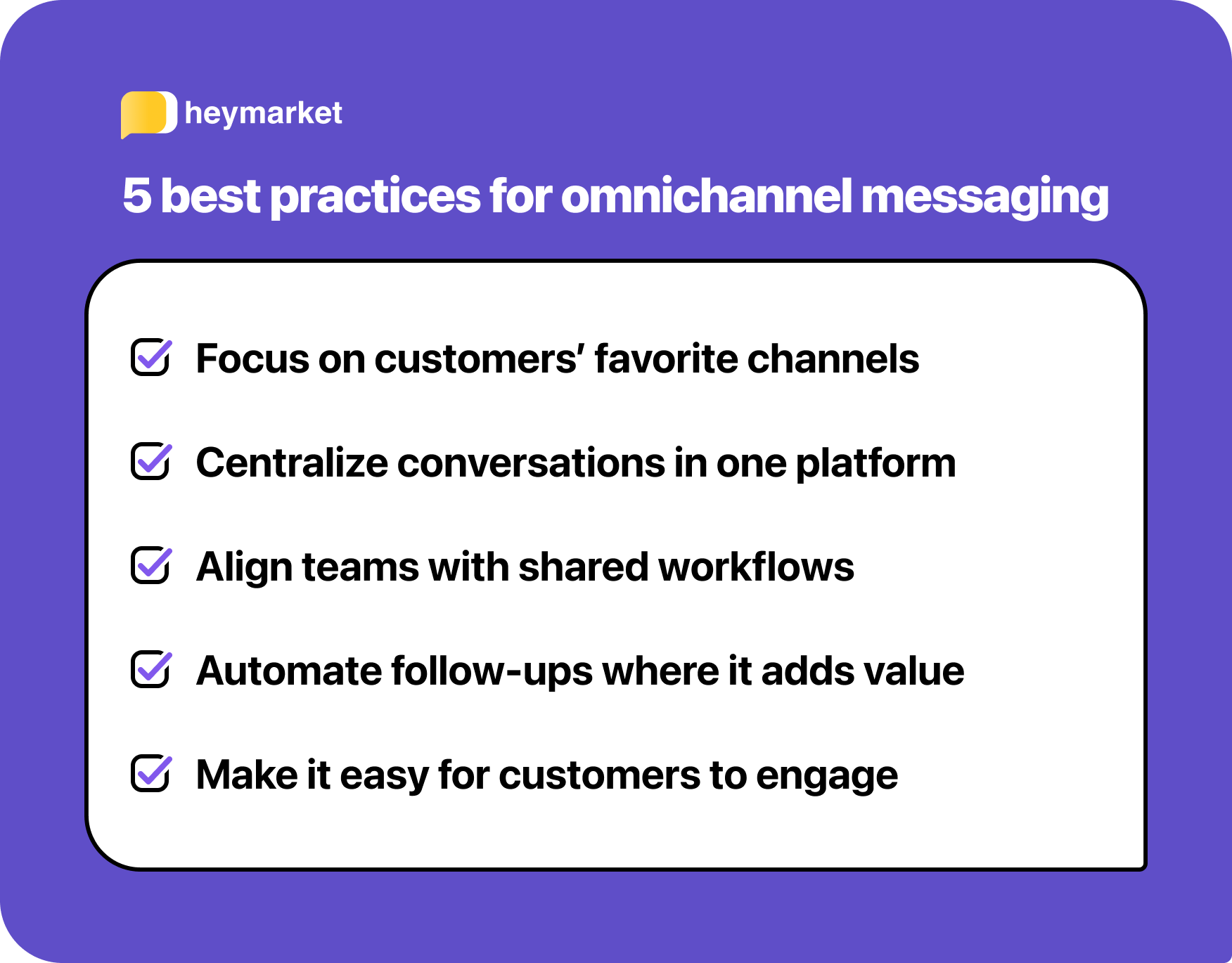
1. Start with your core channels
You don’t need to be everywhere at once. Identify the channels your customers already use most, usually email and SMS, and focus on creating a unified experience across those first. You can expand to social or web chat as your strategy matures and your team gets comfortable with the platform.
2. Centralize your messaging data
Unifying channels is only valuable if your team can see the full conversation. Use tools that bring all interactions into one timeline and connect seamlessly with your CRM, so everyone has the context they need, regardless of when or where a message comes in.
3. Align teams around a shared workflow
Omnichannel messaging works best when sales, support, and marketing all use the same system and follow clear rules for ownership, follow-up, and handoffs. Shared inboxes, internal comments, and assignments help avoid duplication and make sure no message is left unanswered.
4. Automate where it adds value
Start with the messages that are the same every time. Appointment confirmations, order updates, and replies outside business hours are all safe to hand off, because there’s no judgment in them.
Keep a person on anything where the answer depends on the situation, like a complaint, a pricing negotiation, or a customer who’s already frustrated.
5. Make it easy for customers to engage
Give people an obvious way to start a conversation wherever they already encounter your business. That might be a chat widget on the pricing page, a text-to-join number on a printed flyer, or a reply option in your email footer. Then be ready to answer on whichever one they pick.
Omnichannel messaging is the new standard
Customers today expect more than fast responses. They expect conversations that feel continuous, everywhere they happen. Omnichannel messaging helps your business meet that expectation by connecting every channel into a single, unified experience.
It’s not about adding more tools. It’s about making smarter use of the ones you already rely on, helping you streamline internal workflows, improve response times, and build stronger, more consistent relationships across every stage of the customer journey.
Whether you’re managing support tickets, running marketing campaigns, or closing deals, omnichannel messaging will help you deliver a consistent experience that scales alongside your business.
Ready to simplify how your team connects with customers? Book a demo with Heymarket today.
Omnichannel messaging FAQs
Which omnichannel inbox tools are most effective for small businesses?
The features most important for small businesses are those that help scale your communication without adding headcount. That starts with every channel landing in one inbox, so nobody’s assigned to checking Instagram while someone else watches email. From there, automated replies, templates, and AI agents handle the repeat questions that would otherwise eat a full day, which is what lets a small team cover the volume of a much larger one.
What are the key features to look for in an omnichannel messaging platform?
The key features to look for in an omnichannel messaging platform revolve around ensuring everyone shares context without stepping on each others’ toes. Some essentials include:
- A shared inbox covering every channel you use
- One contact record all channels write to
- Assignments and collision detection, so replies don’t get duplicated
- Templates and automation that work on any channel
- Integrations with your CRM and help desk
The first two are what everything else depends on. Without one inbox and one record per person, automation and integrations are just moving data between silos faster.
Heymarket covers all five, plus AI agents that handle repeat questions and scheduling from a knowledge base you control.
What are the best tools for managing omnichannel customer engagement?
“Engagement” covers more than answering messages, so the tools that handle it well are the ones that run campaigns and conversations off the same contact record. Segmentation that updates on live data, follow-ups that trigger on what someone actually did, and reporting that separates results by channel all depend on that. Without it, marketing sends to a list that doesn’t know who support is already talking to.
Do I need to use every channel to be omnichannel?
No. Omnichannel means the channels you do use share one conversation history, not that you have to be on all of them. Most teams start with SMS and email, then add web chat or social when there’s demand for it. Two connected channels beat five disconnected ones.
How long does it take to set up omnichannel messaging?
Usually a few days to a couple of weeks, depending on how many channels you’re connecting and whether you’re bringing history over from existing tools. Connecting email and web chat is quick. Texting takes longer because of carrier registration, which is a compliance step outside your control and typically runs one to two weeks.