




Your favorite blog is uploading posts faster than ever. Every “thought leader” on LinkedIn sounds strangely similar. Your coworker suddenly “knows” how to use an em dash. If everything you read feels different these days, there’s a reason: AI.
Artificial intelligence is quietly reshaping how people write. According to a recent study by Axios, AI now generates around half of all new blog posts published online—up from about 10% before ChatGPT launched in November 2022.
With generative tools now built into email platforms, messaging apps, and social networks, AI has become part of how we communicate every day. Recognizing its fingerprints helps you read more critically, write more authentically, and keep every interaction grounded in genuine human connection—especially as the line between human and machine writing becomes harder to spot.
In this article, we’ll explain how to tell if a text is AI-generated and share some examples you may have seen before.
Why it’s important to identify if text is AI-generated
AI now shapes nearly every kind of communication, from marketing emails and customer chats to resumes, social posts, and personal messages. As its use grows, the line between human and AI-generated writing continues to blur.
Once you know how to identify AI-generated text, you can:
- Be more cautious with what you read and share: Identifying AI content’s patterns helps you approach information with context. You’ll know when to double-check details, verify sources, and read a little more carefully before passing something along.
- Recognize sincerity in personal messages: If a text or email feels too polished or emotionally distant, understanding AI’s influence can help you read between the lines. Knowing the signs makes it easier to sense intent, emotion, and authenticity in the messages you receive every day, helping you respond more effectively.
- Promote fairness in learning and work: Understanding how AI generates text helps you use it responsibly and give proper credit when it supports your work. It also helps you recognize when others may be relying on AI too heavily, creating accountability in collaborative environments like classrooms and workplaces.
- Write and use AI more effectively: Recognizing how AI text sounds helps you use it to enhance—not replace—your own writing. You can spot when a message feels overly formal or generic and adjust it to sound more personal, natural, and genuine. That awareness helps you communicate more authentically with customers, professors, coworkers, friends, and anyone else you message.
Whether you’re reading, sharing, or writing with AI, recognizing its patterns gives you more control over how you communicate and what you choose to trust.
How to spot AI-generated writing
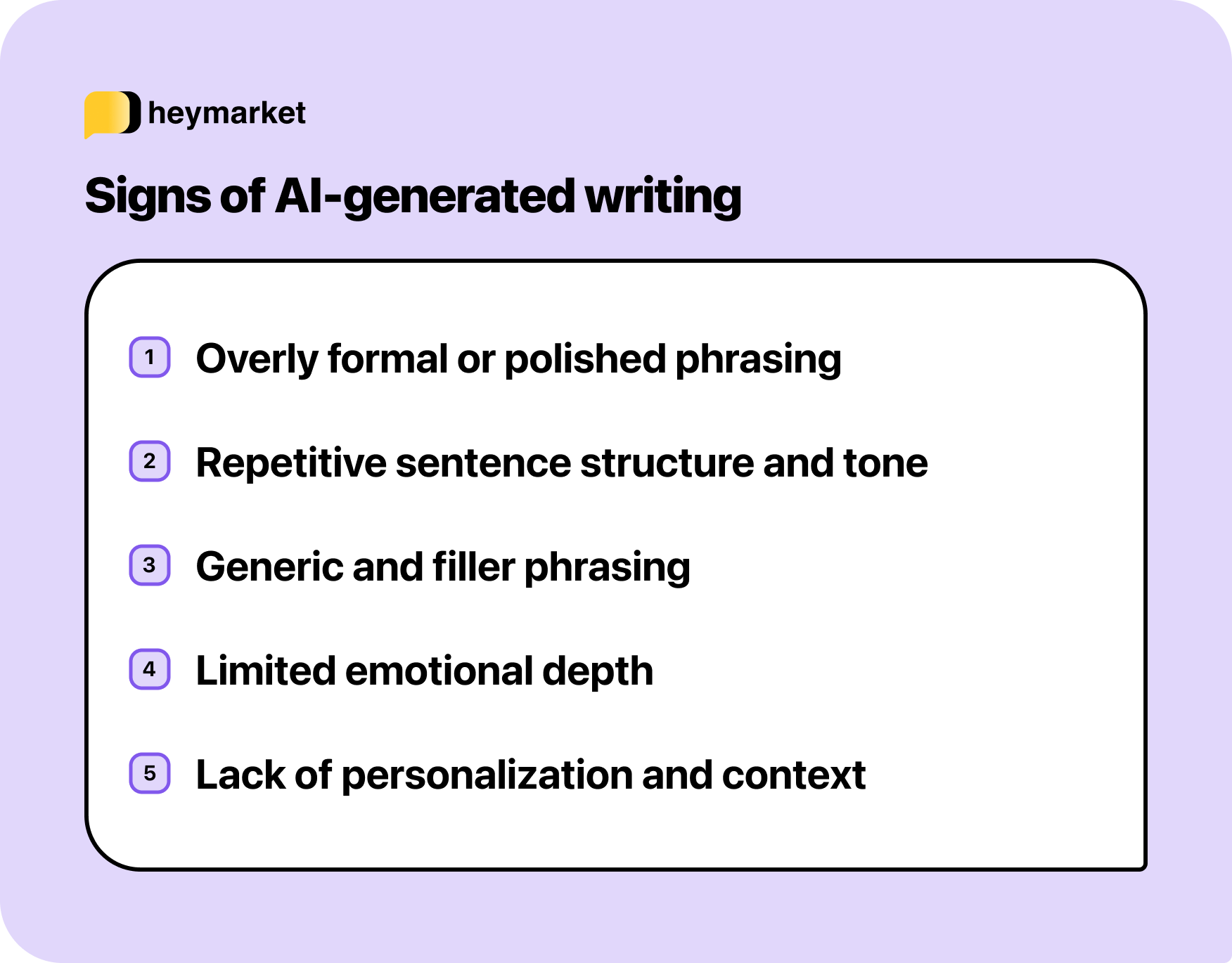
Once you start looking closely, AI-generated writing has distinct patterns. It’s often too consistent, too polished, or too detached to feel fully human. Most AI tools are designed to sound neutral and professional, which can make their writing blend together in recognizable ways.
Here are a few giveaways that some writing might be generated by AI, with AI-generated examples that may sound familiar.
Overly polished phrasing
AI tends to favor clear, complete sentences that read more like formal writing than casual conversation. This stands out most in quick messages; texts shouldn’t sound like full emails, and LinkedIn posts generally shouldn’t feel like press releases. Humans usually include shorthand, contractions, or tone shifts, but AI rarely does.

Repetitive sentence structure or tone
AI-generated writing often has a steady, balanced rhythm. Sentences tend to be the same length, neatly structured, and grammatically perfect. It’s technically correct, but when everything sounds even, it can also sound unnatural. Real writing includes variation, pacing, and personality that reflect mood and context.

Generic or filler phrasing
Because AI is trained on massive amounts of data, it often repeats safe, agreeable statements that sound polished but lack specificity. You’ll recognize them by their buzzword-heavy or universally applicable tone, including phrases that could appear in almost any context.

Limited emotional understanding
AI can sound caring, but it doesn’t actually understand emotion. That’s why the messages it generates can feel slightly “off” when a situation calls for empathy and understanding. You might notice warmth in one sentence and formality in the next, or the right words with the wrong context, because it doesn’t have the human awareness to adapt tone naturally.

Lack of personal detail or context
Human writing includes small details, like personal notes, specific references, or emotional context. AI-generated messages avoid those specifics, relying instead on polite but empty phrasing. When a message feels perfectly phrased but detached from reality, it may not have been written by a person.

Using AI to enhance—not replace—your writing
Recognizing AI writing doesn’t mean avoiding it altogether. The same tools that make content sound robotic can also help you write more clearly and thoughtfully when you stay in control of the message.
Use AI to:
- Refine, don’t replace, your own words: Draft your message first, then ask AI to smooth tone or clarify structure.
- Add balance, not uniformity: Keep your phrasing natural, even if AI suggests more formal alternatives.
- Maintain your voice: If a suggestion doesn’t sound like something you’d actually say, rewrite it until it does.
- Review context-aware suggestions: Some business messaging tools offer AI-powered replies based on conversation history, tone, and your knowledgebase. Reviewing these before sending helps teams reply quickly and consistently while keeping messages authentic.
When you use AI to enhance your communication instead of generating it from scratch, your writing stays authentic, and your readers can feel the difference. But keep context in mind; while using AI to improve your writing at work may be appropriate, it’s not welcome everywhere. In college classes, for example, any AI use can limit your ability to learn a subject—and may even be banned.
Keeping communication human in an AI world
Learning how to tell if text is AI generated gives you the awareness to read critically, respond thoughtfully, and use technology in ways that strengthen communication rather than distance it. Because while technology can assist communication, only people can make it genuine.
Now that you know how to tell if a text is AI-generated, check out how to humanize AI text.
Interested in using AI responsibly in your own professional work? Check out our AI-assisted messaging tools.

