



With AI, you can generate a first draft in seconds. But when you read the writing back, something often feels off. It’s polished but impersonal, wordy but mostly meaningless, like someone trying to hit the word count on a school essay for a book they didn’t read.
That’s because AI can predict which words belong together, but it doesn’t understand the meaning or intention behind them. AI models human writing by scanning patterns in massive amounts of text and guessing the most likely next word. They’re great at imitating human communication, but they don’t have the social or emotional understanding to communicate authentically.
As a result, AI writing often sounds accurate but empty. It can summarize, structure, and simplify, but it lacks the small details, emotion, and timing that make people care—or at least keep them from dismissing it as AI-generated spam.
Humanizing AI text bridges that gap. It’s the process of shaping AI’s efficiency into communication that feels authentic and approachable, like it was written by a person. From emails and texts to blogs and social posts, the goal is the same: make readers feel like someone is talking to them, not at them.
Keep reading for tips on identifying AI-generated text, making it sound more human, and finding tools that help you balance AI’s efficiency with the humanity that drives real connection.
Why human writing matters
Human connection has always been at the heart of good communication. Whether you’re talking with a customer, a colleague, or an audience, people respond to warmth and intent, not just the words themselves. When that sense of personality disappears, messages tend to fall flat.
But you can’t make AI text sound human until you understand what makes it feel mechanical. AI tends to write in even patterns, with polished phrasing and predictable pacing. It’s the linguistic equivalent of a customer service script; technically correct, but missing personality.
You’ve probably heard this recorded line: “Your call is very important to us. Please stay on the line for the next available representative.” Does it make you feel like a valued customer, or just another number in line?
That same disconnect shows up in AI writing. People want to feel that whoever’s messaging them actually understands their needs and emotions. When messages sound templated or detached, they break trust and lose the reader’s attention.
The good news is that once you can recognize these patterns, you can rewrite content to sound genuinely human.
Here are a few signs your writing might sound more like a bot than a person:
- Overly formal tone: AI often defaults to polite but distant language with phrases like “we are reaching out” or “please be advised.” It sounds professional, but not personal.
- Unnatural pacing: When every sentence is the same length or structure, the message starts to sound robotic. Human writing naturally mixes short, direct lines with longer explanations.
- Vague or generic wording: AI tends to play it safe by using placeholders like “solution” instead of specific mentions. It also uses fillers like “we value your feedback” or “we strive for excellence” without adding specifics.
- Unconvincing empathy: You can tell when “we sincerely hope this finds you well” isn’t written by a real person. True empathy shows up in relevant, situational phrasing, which AI often misses.
- Too much or too little information: AI text can swing between over-explaining and leaving out what readers actually need to know. Human writing gives just enough context to make the next step clear.
- Missing a clear purpose: If your message ends and the reader isn’t sure what to do next, that’s a red flag. AI-generated content often avoids direct calls to action so it can apply to more situations.
Each of these traits points to the same issue: writing that follows rules but misses connection. Put simply, AI can organize information, but it can’t read the room.
How to humanize AI text
AI can write quickly, but humans are good at connecting with people. The best results happen when you combine both, using AI to handle structure or first drafts, then shaping the message so it sounds natural and real.
These strategies will help you take AI-generated text and refine it into communication that feels thoughtful, specific, and unmistakably human.
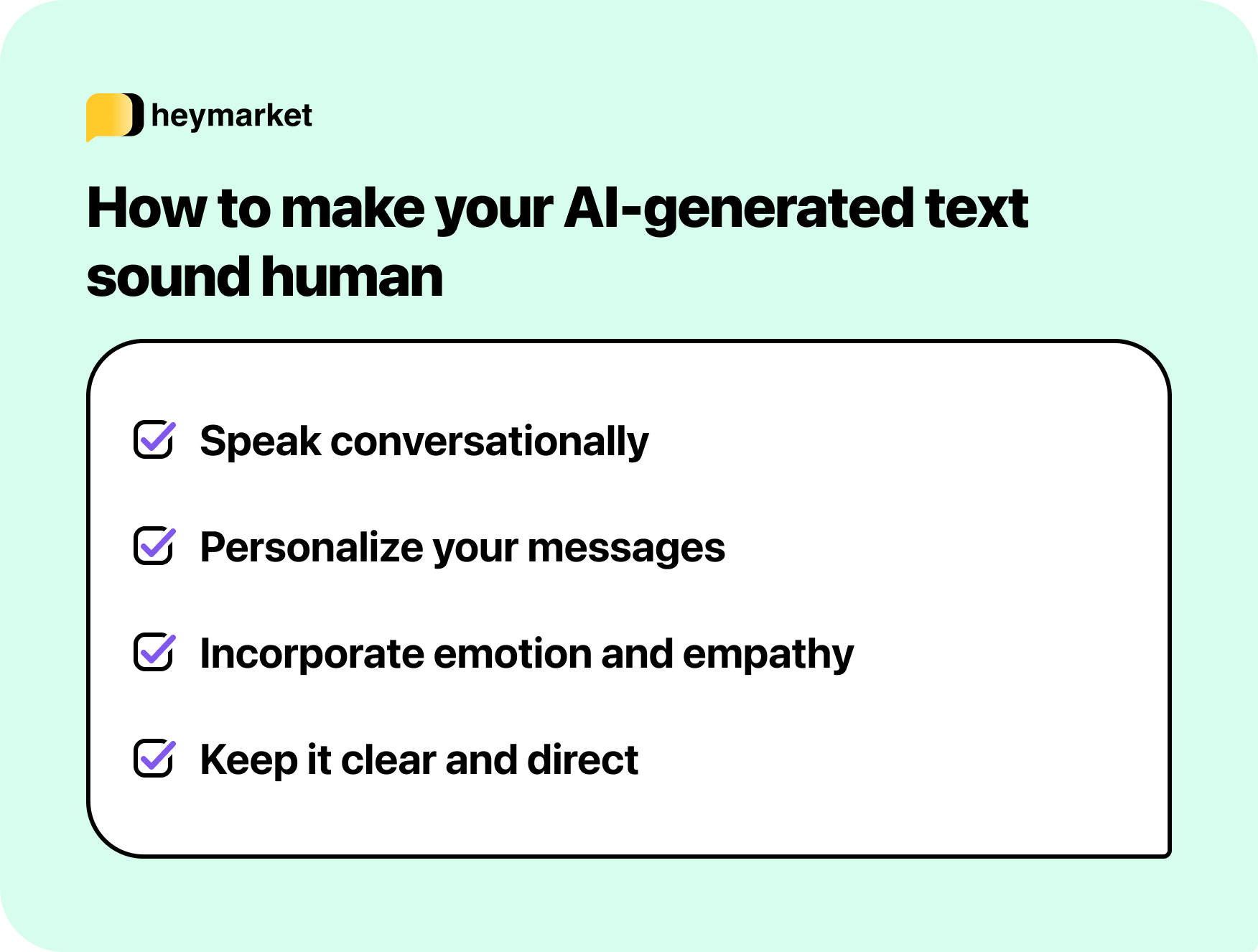
Speak conversationally
People read in voices. If it doesn’t sound like one, they stop paying attention. AI often defaults to formal, overly polished phrasing that sounds more like a press release than a person. Replace stiff language with natural wording that mirrors how you’d speak to a customer or colleague.
Instead of:
“We are reaching out to inform you that your order has been processed.”
Try:
“Good news—your order’s on its way!”
Reading your text aloud is an easy way to spot stiffness. If it doesn’t sound like something you’d actually say, rework it until it does. In SMS or chat, keep it short and friendly. For emails or posts, vary sentence length to create a more conversational rhythm.
Personalize your messages
Generic AI output tends to sound detached because it lacks personal context. The broader it is, the more likely the message is “correct” and applies to the conversation. Adding small details—like a recipient’s name, recent activity, or known preferences—helps messages feel specific and intentional.
For example:
“Hey Jordan, glad to see you joined the webinar yesterday! Here’s that guide we mentioned.”
Personalization is a bit harder at scale, but tools like templates or automations can help, pulling in names, company info, or local details dynamically. That way, you can humanize a message template, insert custom fields so it applies to each individual recipient, and deliver a personalized message that resonates.
Add humanity that AI can’t fake
AI can mimic emotion, but it doesn’t feel it. Humanized writing focuses on using emotion to demonstrate understanding of the situation, not just acknowledging it. That means showing empathy that fits the moment, like reassuring someone who’s frustrated or celebrating with someone who’s excited.
When emotion feels genuine, it helps your message sound human. That connection builds trust and makes people more likely to respond and engage.
Instead of:
“I’m sorry to hear that you’re having trouble with your purchase. Have you checked our FAQs?”
Try:
“That sounds really frustrating. I’m sorry for the trouble. Let’s sort it out right away.”
In short messages like texts or chats, tone indicators (like a smile emoji or exclamation mark) can convey warmth. In emails, a friendly greeting, conversational phrasing, and reader-friendly formatting make your message feel personal instead of templated.
No matter the format, the goal is to show there’s a real person paying attention on the other side.
Keep it simple and specific
AI often produces long, padded sentences packed with extra clauses. Humans tend to be clearer and more direct. Simplify wherever possible, and trade vague language for concrete details.
Instead of:
“We have shipped your order. You will receive a text update once the courier is en route.”
Try:
“Your package will arrive by Thursday—we’ll text you once it’s out for delivery.”
It might not seem like much at first glance, but that added clarity builds trust. Whether it’s a customer message or a social caption, make sure every line says something useful.
Tools that make humanizing easier
You’ve probably heard of AI text humanizers that claim to turn ChatGPT outputs into top-tier copy with a single click. You might have even tried one yourself and seen it’s not as advertised.
These tools can help smooth tone, shorten sentences, or adjust phrasing to check some of the humanization boxes, but they’re still working with the same patterns that make AI writing sound robotic in the first place. They’re just encouraged to avoid them.
If you want messages that sound authentic, look for tools that create a foundation you can build on. AI can organize or draft ideas, but it’s your insight and experience that make them feel human.
The good news is that there are tools that can help with parts of that process, either by giving you a stronger starting point or helping you clean up drafts after you add your personal touch.
- Editing and refinement tools such as Grammarly are best suited for improving readability and flow. They can flag when text sounds too formal or overly complicated, like you’ll commonly see in AI-generated writing. Once your draft is clear and easy to read, you can focus on adding the voice, empathy, and context that make it personal.
- Generative AI assistants like ChatGPT or Jasper are useful for structure and brainstorming. They can help you get unstuck or outline your ideas, but they’re just the starting point. Once you have a draft, it’s up to you to adjust tone, insert real examples, and make sure it sounds like something you’d actually say.
- Messaging platforms with AI support help teams sound more human at scale by giving them contextual starting points and quick ways to refine tone. With suggested replies and message refinements, teams can craft responses that start closer to the right tone, then personalize them using custom fields or details that make each message feel individual. Once messages are ready, automations deliver them consistently across channels, helping you scale communication without losing authenticity.
The best tools don’t humanize your writing for you; they make it easier to do that yourself.
Examples of humanized AI text
Humanizing AI text looks a little different depending on what you’re writing. A text message need to be short and clear, while an email might call for more context or warmth. Blog posts benefit from subtle changes that make them sound like part of a conversation instead of a computer-generated draft.
The examples below show how empathy and tone translate across formats, and how tools like custom fields and templates make it easier to personalize messages without losing the human touch.
SMS messages
Short messages are where humanization has the biggest impact. Every word counts, so tone, phrasing, and rhythm make the difference between sounding robotic and feeling genuine.
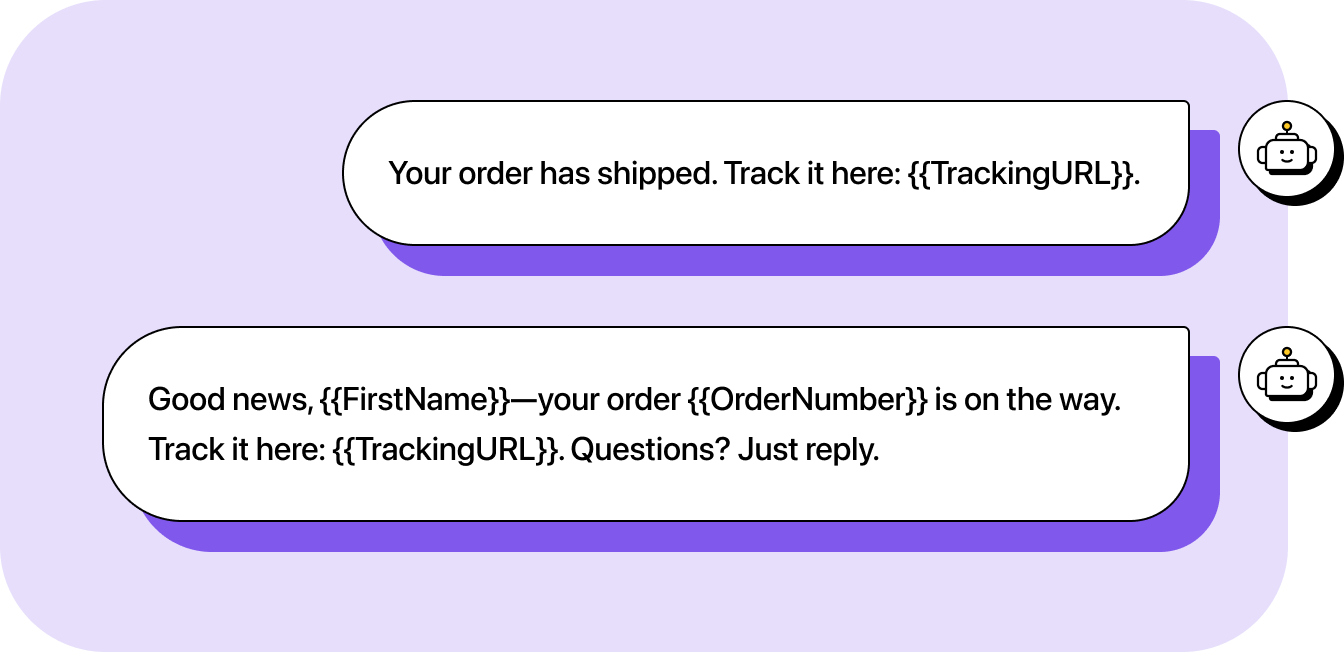
Shipping update
Transactional texts often sound dry and automated. Adding a name and a short follow-up invitation makes it more natural.
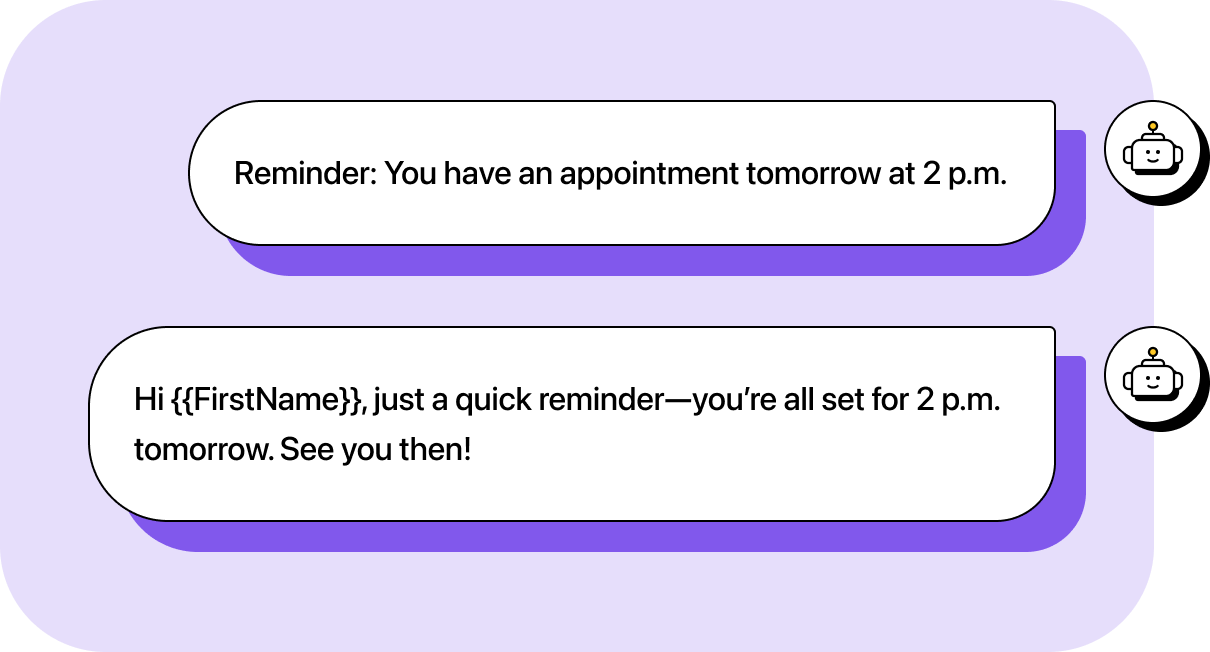
Appointment reminder
Even simple reminders can sound more authentic when they feel like a quick note from a person, not an alert from a system.
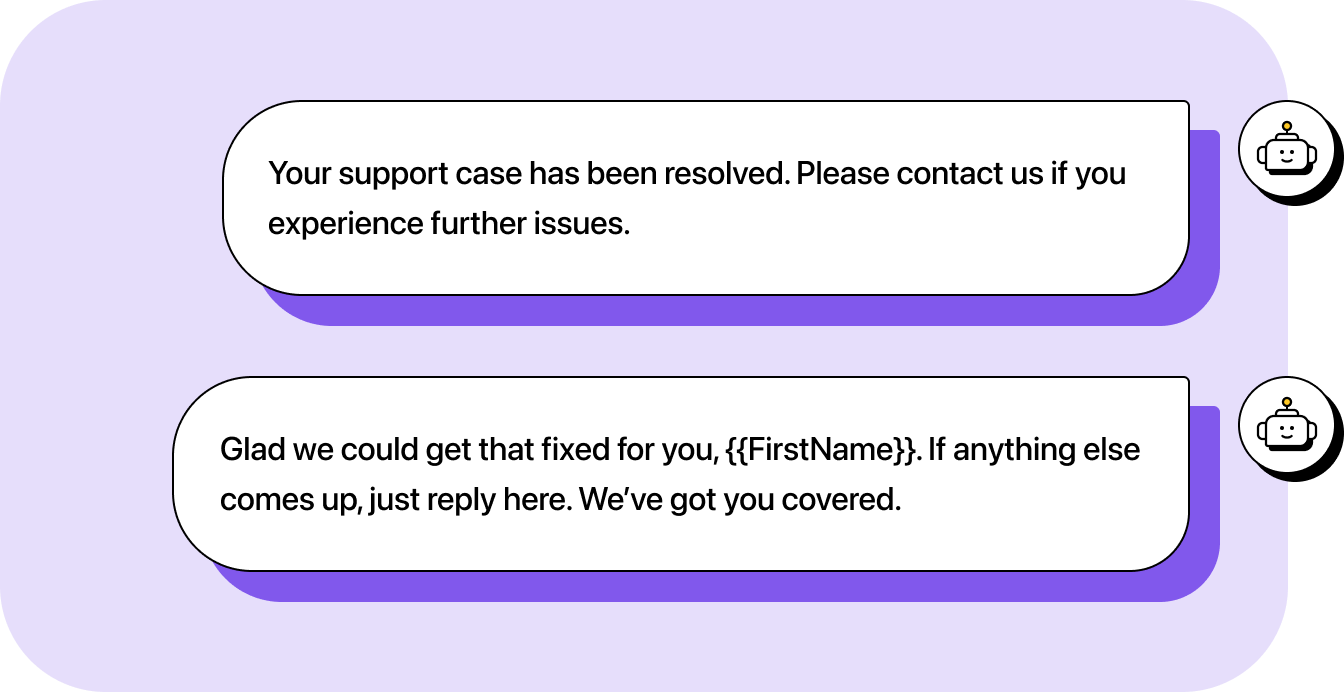
Service follow-up
Support texts often default to formal templates. Acknowledging the interaction makes it sound more like a person than a system.
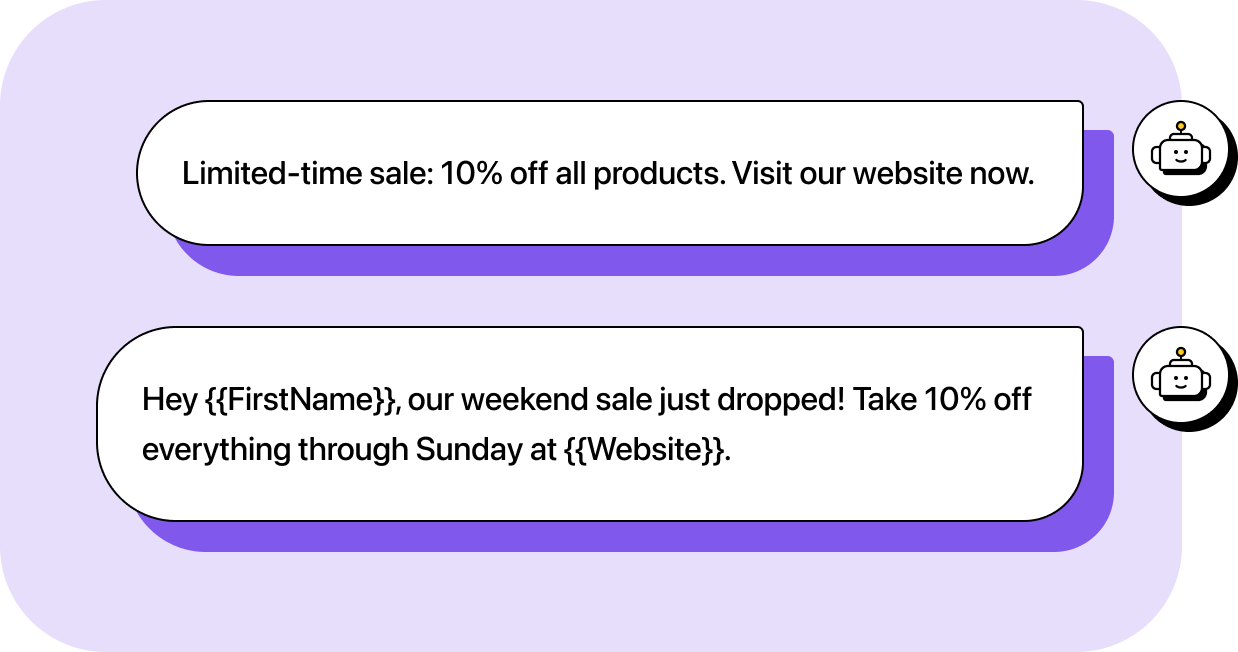
Promotional text
AI-generated promotions can feel generic. Adding context and tone gives them energy and personality.
Emails
Emails give you more room to explain, but that added space and formatting freedom can make messages seem stiff or overpolished if you simply paste AI text into the body. To make them sound natural, focus on keeping the structure clear and readable while adding a friendly, conversational tone that feels personal.
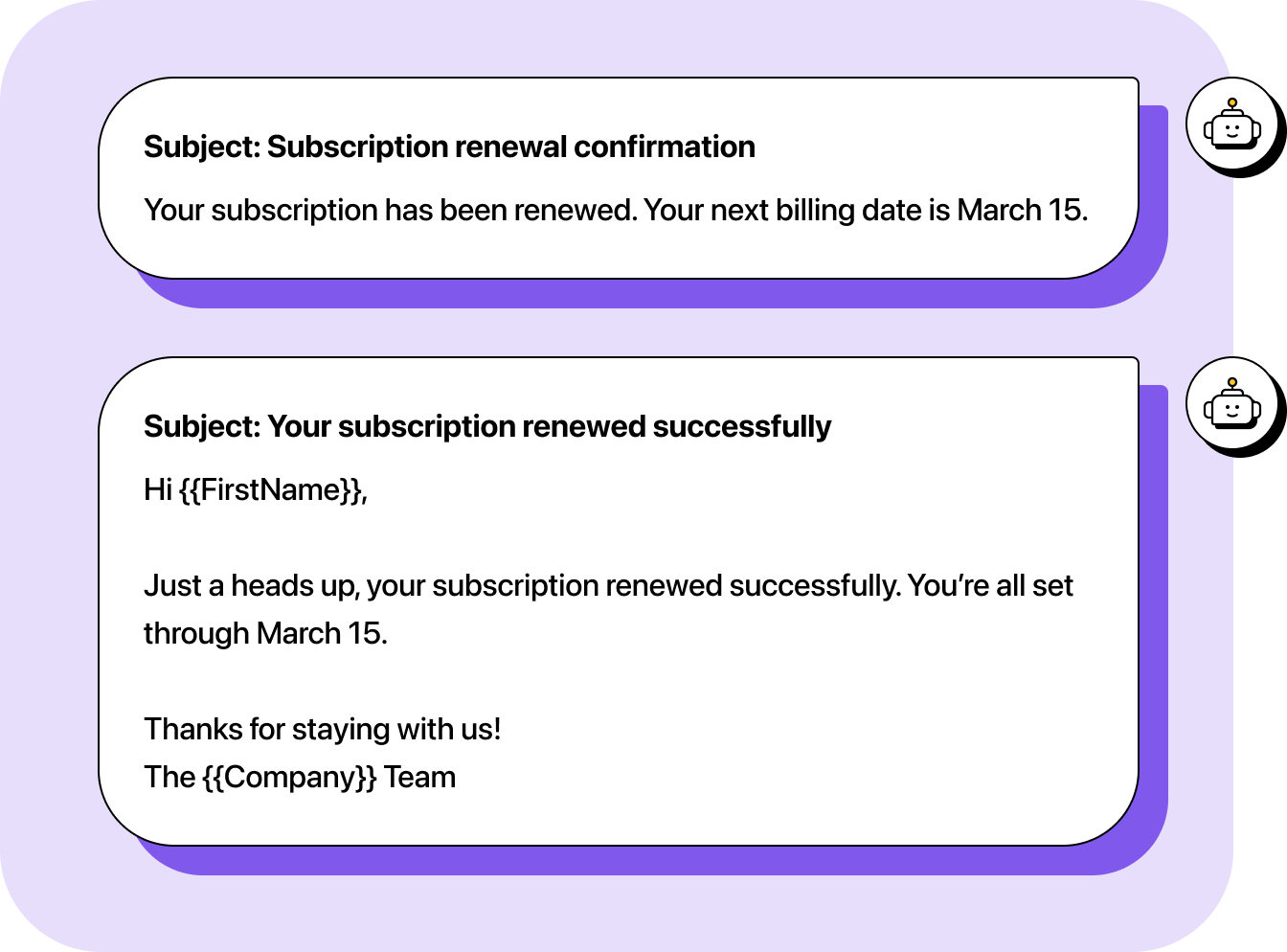
Transactional update
Even when a message is purely informational, humanizing it helps reinforce connection. A personal tone turns a one-way notification into a quick, friendly check-in.
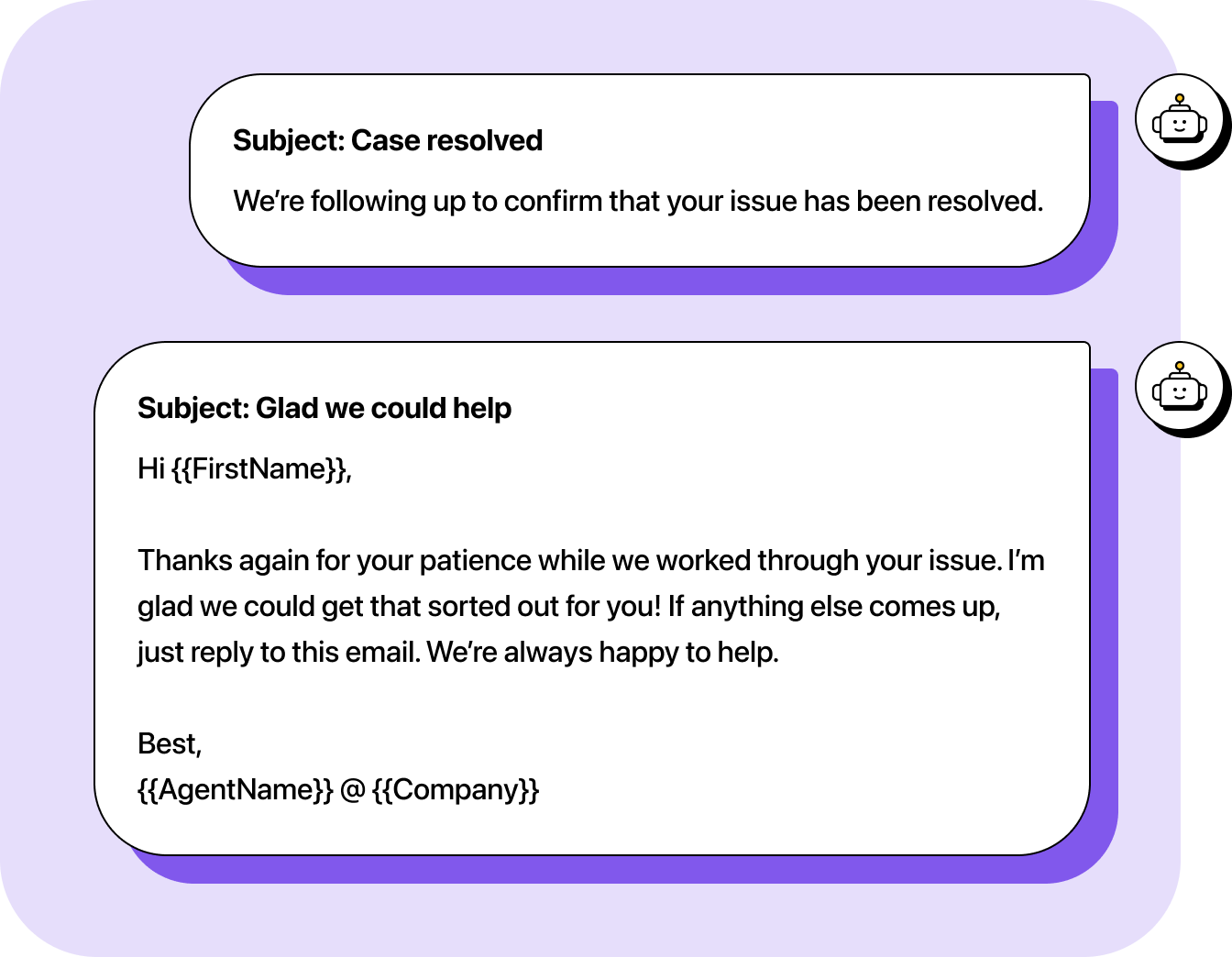
Customer follow-up
After helping someone, a little warmth goes a long way. A simple thank-you and reassurance shows attention and care that’s more likely to bring them back.
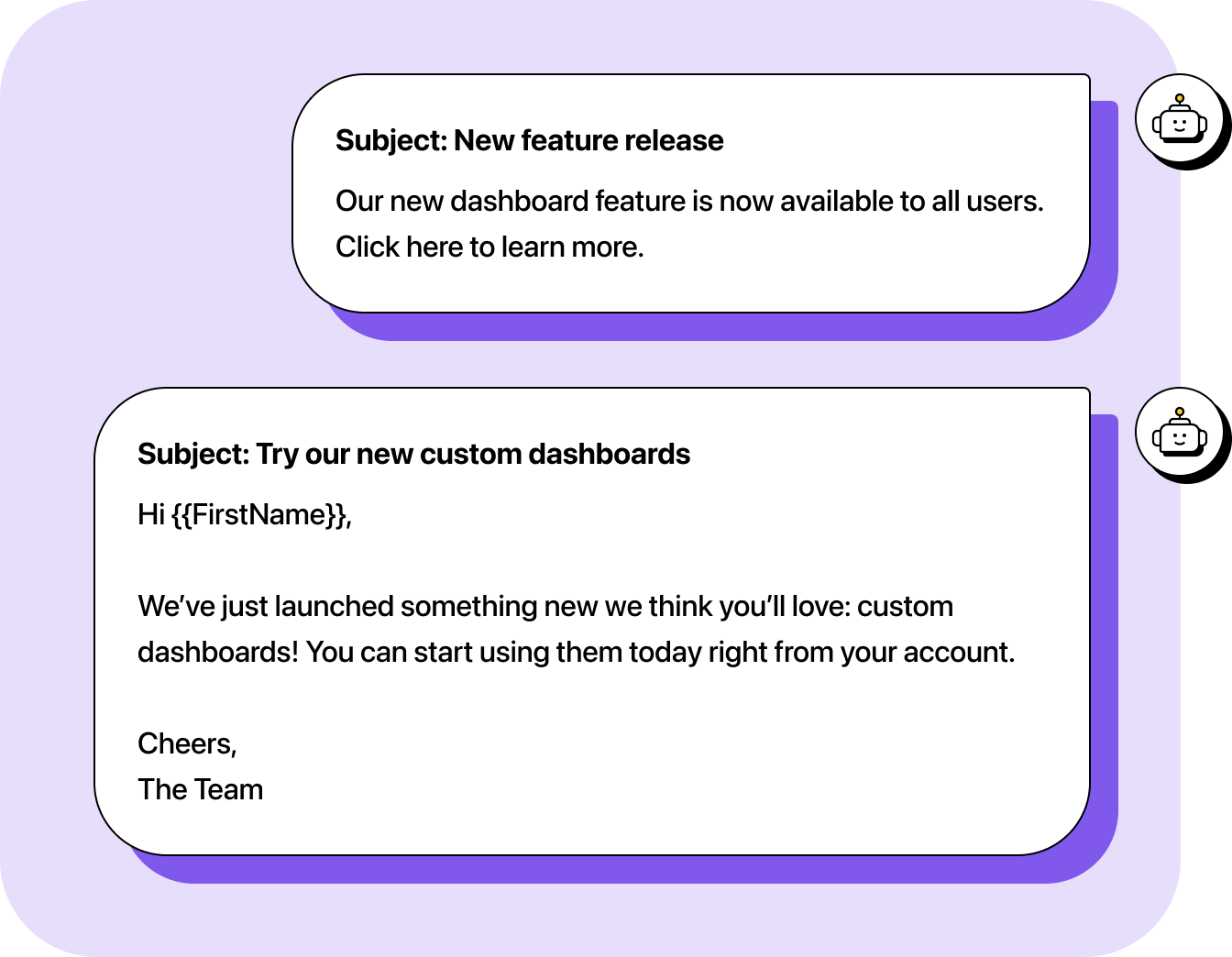
Announcement email
Announcements often come across as impersonal or corporate, which can make them feel like a marketing email instead of a helpful update. Adding enthusiasm and small cues about why it matters to them helps the message feel human and engaging.
Chats, social posts, and blogs
While texts and emails tend to be the main touchpoints for customer communication, chat messages, social posts, and blogs all benefit from the same humanizing principles.
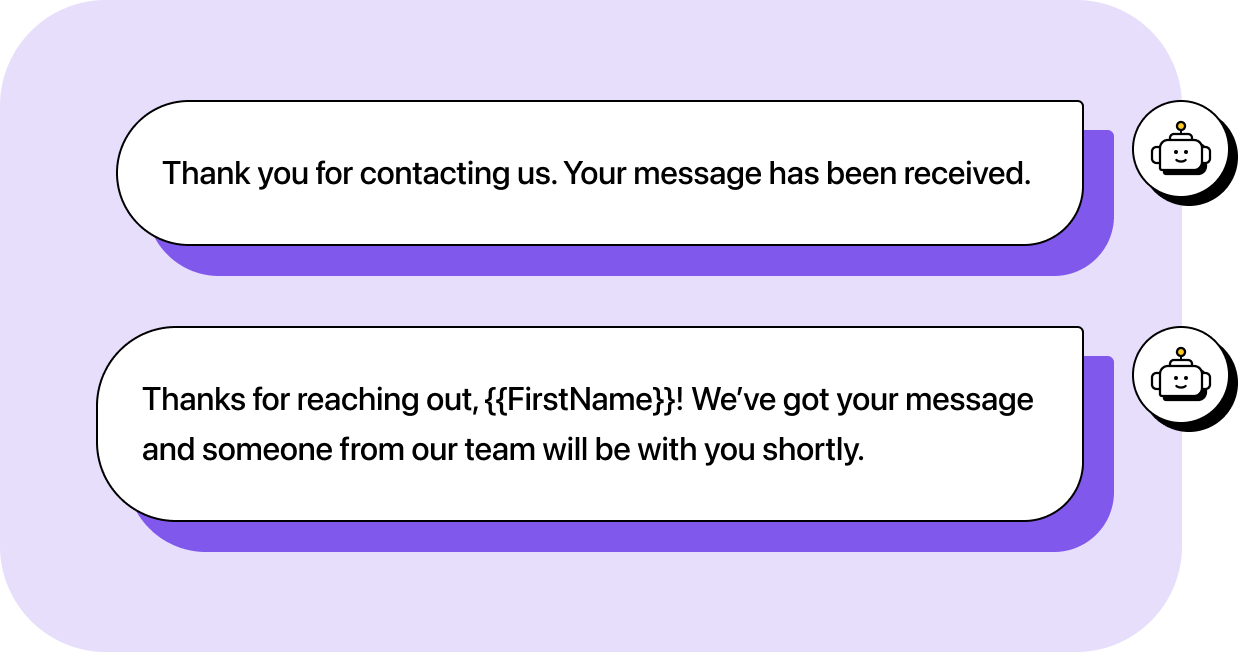
Chat messages
Chats should sound quick and attentive, not canned. Auto-replies and reply templates are especially prone to sounding robotic if you don’t personalize them. Adding small touches, like a greeting, a name, or a warm acknowledgment, helps both automated and live responses feel human and attentive.
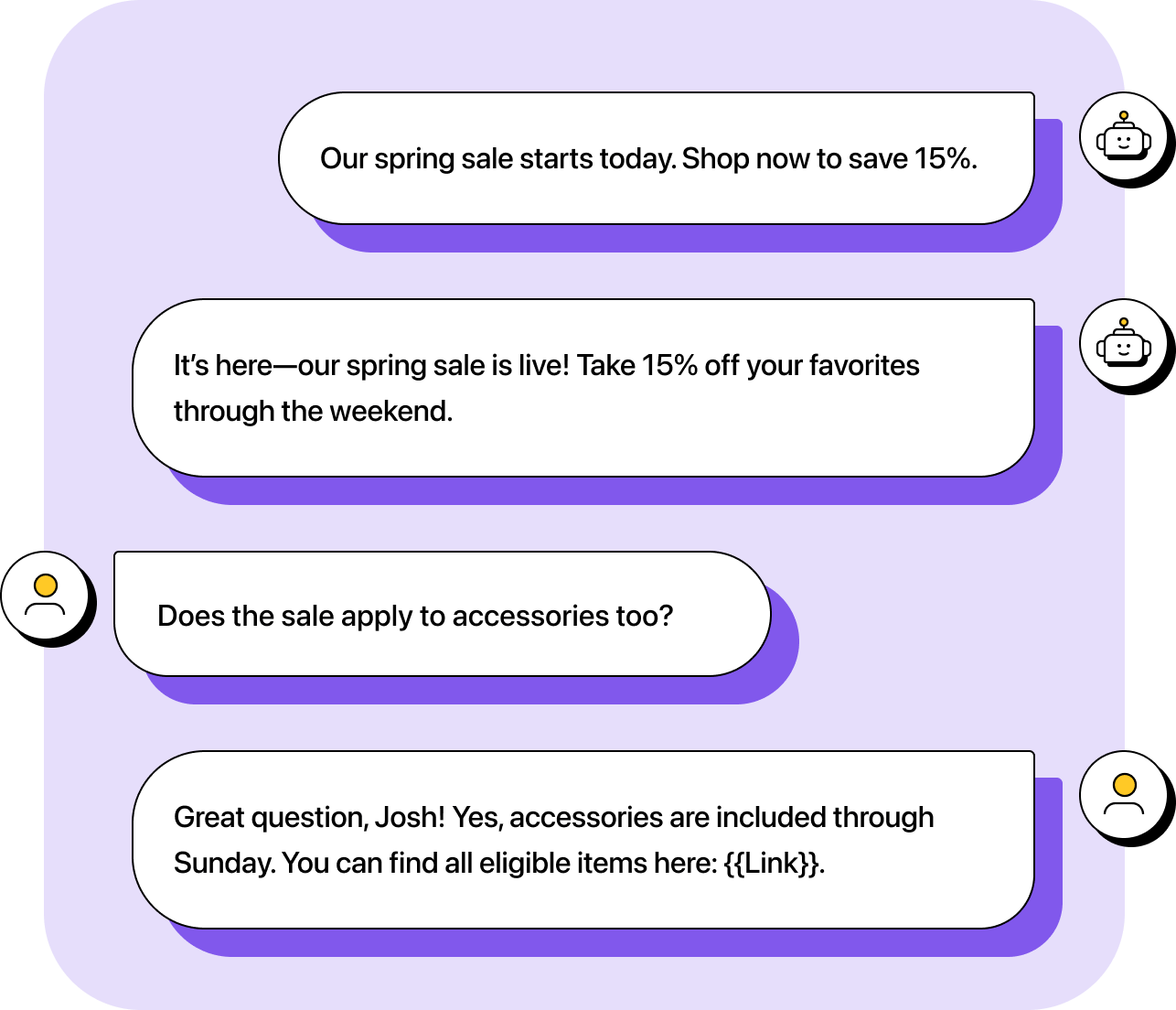
Social posts
Social posts and replies come with extra visibility, so tone matters. Posts reach everyone and can’t be personalized, but replies offer a chance to connect one-on-one. In both cases, using a real voice and acknowledgment helps your brand sound approachable instead of automated.
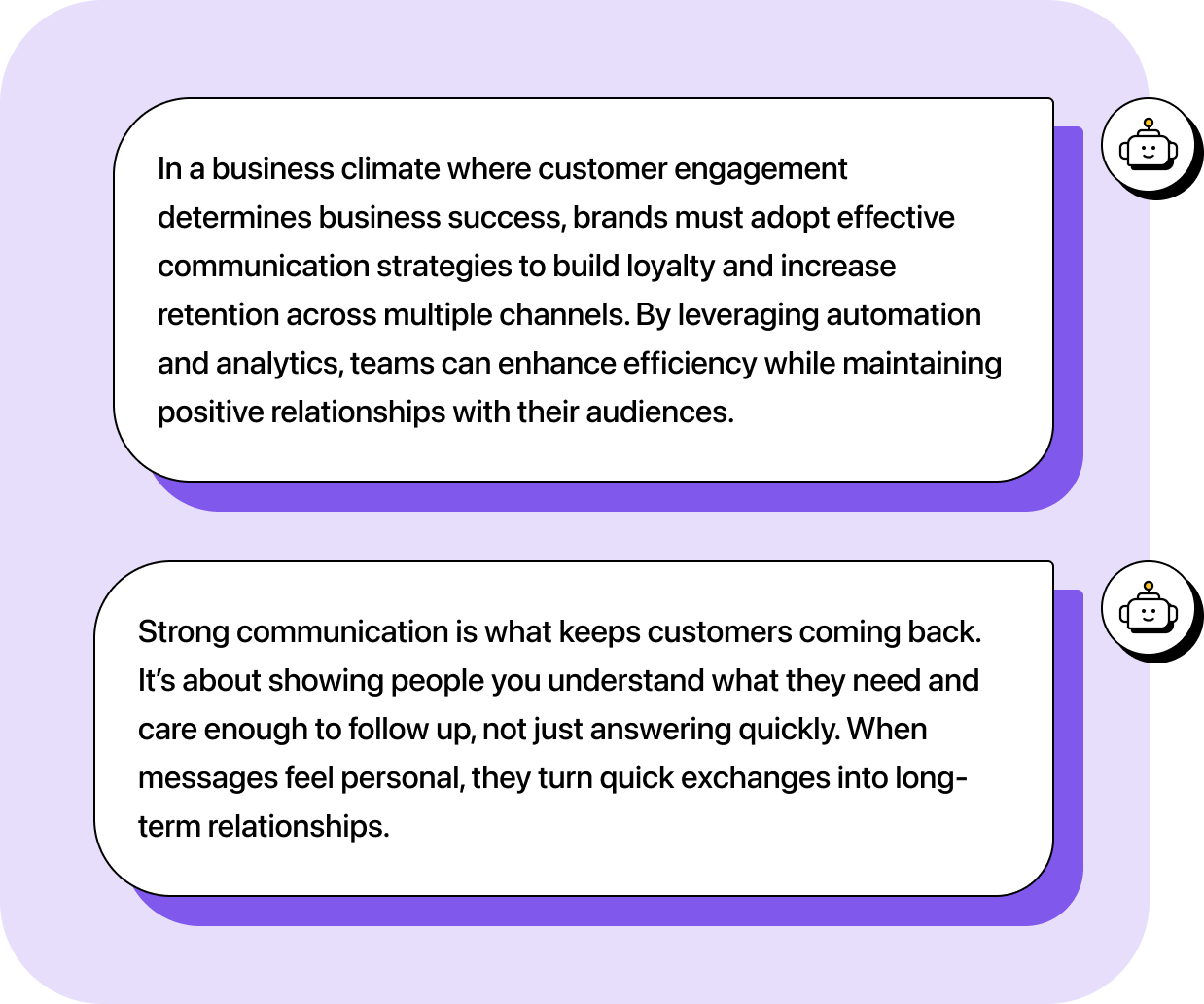
Blog posts
Long-form content like AI-generated blogs is often the easiest to spot because it’s meant to tell a story or answer a question comprehensively. There’s no ambiguity about templates or auto-replies. Readers expect to hear the author’s voice and perspective, not an AI’s interpretation of the topic. There’s also more content in one place, so AI indicators like fluffy writing, balanced sentences, or clichéd scene-setting (“In a world where…”) stand out more clearly.
Bringing the human touch back to AI writing
The real value of AI lies in how it supports your communication, not replaces it. When you use AI to handle structure and logistics, you free up time to focus on what people actually connect with: clarity and humanity. Each small adjustment turns an automated message into something that feels personal and real.
As AI becomes part of everyday writing, that human touch will be what sets your messages apart. The right tools can help you work faster, but it’s empathy and awareness that make people want to engage.
If you’re ready to scale your messaging without losing the human touch, check out our AI-assisted messaging platform.

