



A lot of higher-stakes conversations happen over email. Companies use it for important, official messages, like billing notices, security alerts, hiring next steps, and account updates. Individuals rely on email for formal conversations, like contacting a professor or reaching out about a job opportunity.
Because these messages often come with real consequences, people tend to give email more trust and attention than other channels.
Generative AI complicates that relationship. AI-generated emails can read smoothly and sound confident even when the sender isn’t fully engaged in the conversation—or when they’re pushing you toward a risky action. There’s rarely a single giveaway anymore, but you can look for several common patterns.
Below, we’ve assembled six signs that an email may be AI-generated or heavily AI-assisted. They can’t fully prove anything on their own, but together they’ll help you decide when a message deserves extra caution before you respond, click, download, or share information.
Why AI has changed how emails earn trust
It used to be easier to spot a bad email. Broken grammar, odd phrasing, or out-of-context requests made it clear when something didn’t belong in your inbox.
With AI, polished language and clean formatting are no longer reliable indicators that an email is legitimate or even useful. Trust now depends more on context and intent: who’s sending the message, what they’re asking you to do, and whether it aligns with what you’d reasonably expect from them—whether they’re a stranger or you have an existing relationship.
At the same time, using AI to write or refine emails isn’t automatically a problem. Many legitimate messages are drafted with assistance, especially when they come from businesses that are sending emails at scale. In those cases, the issue is often a lack of real engagement with the situation—usually due to time constraints—rather than malicious intent.
The real risk shows up when that same smooth, confident language is paired with missing details, unusual urgency, or requests that could put your account or data at risk.
Because both benign and malicious AI-assisted emails can share the same surface-level signals, it’s important to recognize when a message feels out of place. That way, it’s easier to pause and verify the information before acting.
6 ways to identify an AI-generated email
You usually can’t tell for sure whether an email was written by AI. However, you can tell whether it’s sending trust signals, like real context, specific intent, and personalization.
The goal isn’t to prove an email was written by AI; it’s to determine when you should slow down and double-check before you act.
Here are six of those signals to look for, with abbreviated examples that show how they often appear in real inboxes.
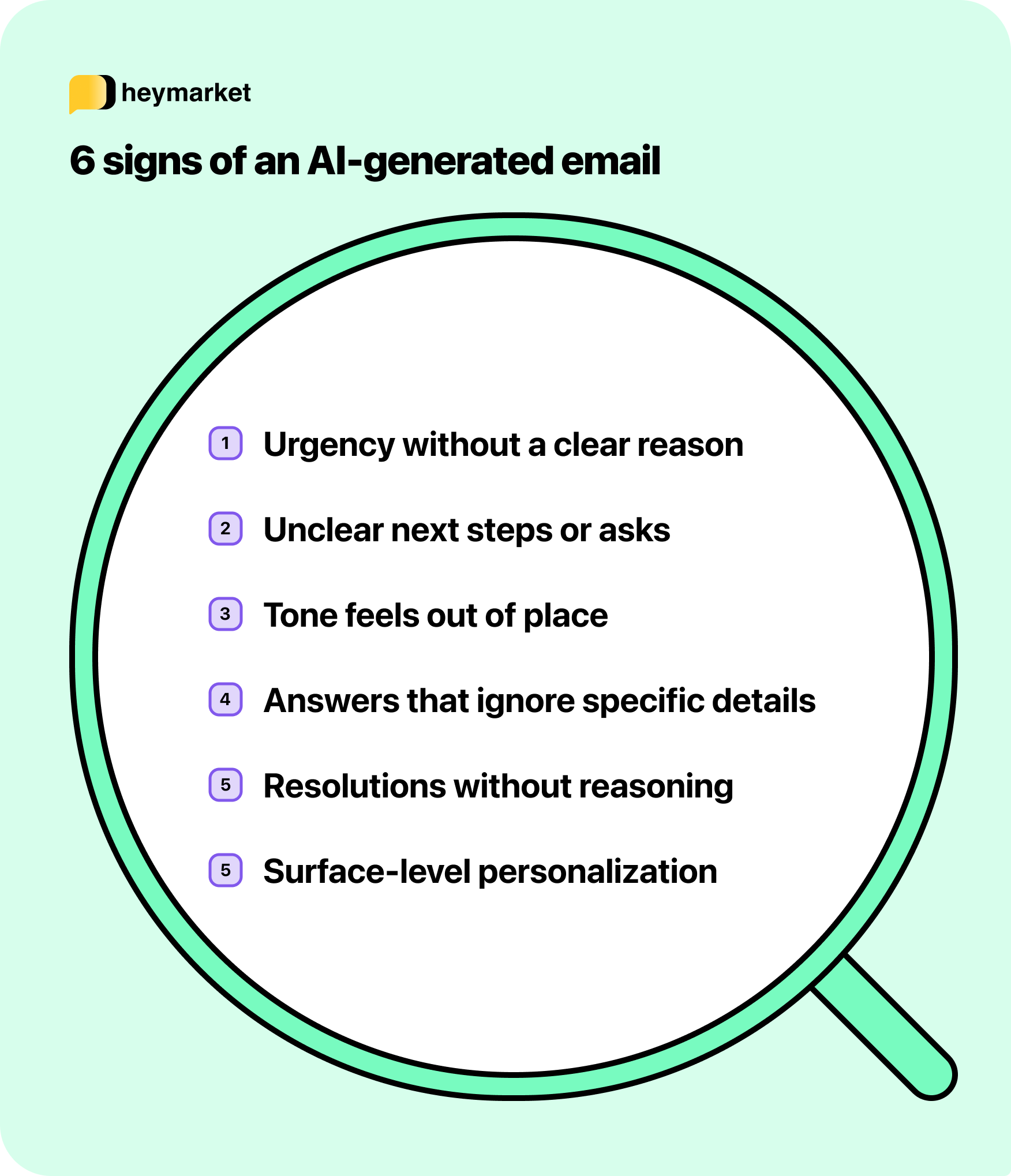
1. The email creates urgency without clearly explaining why
AI-generated emails are often urgent because it’s a common signal of importance, not because a specific event requires immediate action. These drafts are usually written to apply across many situations, which means the pressure to act is clear while the reason for acting now is left vague or unstated.
If an email pressures you to move quickly, it’s worth pausing and confirming the request through a secondary channel first.

2. The next step is implied rather than clearly stated
AI tends to avoid firm instructions unless explicitly prompted. To stay broadly applicable, it will soften requests or leave actions open-ended, which pushes the burden of deciding what to do next onto the recipient.
If you’re left guessing what you’re supposed to do after reading the message, it’s a sign the email wasn’t written with a specific action or decision in mind.
3. The tone doesn’t quite match the relationship or the moment
By default, AI uses a neutral, formal tone designed to be broadly appropriate rather than relationship-aware. Without refinement, that tone can feel out of place in ongoing conversations, internal threads, or situations that normally call for familiarity or urgency.
If an email from someone you know suddenly reads like a generic template, it may be a sign the message wasn’t written with the relationship in mind.
4. Replies acknowledge the message without actually answering it
In ongoing conversations, AI-assisted replies often recognize that a message was sent without fully engaging with the specific question raised. The response sounds reasonable, but it avoids committing to an answer where judgment or tradeoffs are required.
This happens because AI is good at continuing conversations, but less reliable at reasoning through nuanced constraints introduced mid-thread.
If a reply seems to fit the conversation’s topic but doesn’t actually address the core issue you raised, it’s worth following up or verifying before assuming anything was resolved.
5. An update is given without explaining what actually happened
AI-generated emails often communicate that something has been reviewed, updated, or resolved without stating what was evaluated, why a decision was made, or how the outcome was reached. The message presents a conclusion, but skips over the details that would normally support it.
This happens because AI drafts tend to summarize results rather than reflect the thinking behind them. When that judgment is missing, recipients are left unsure whether the issue was meaningfully addressed or simply closed out.
6. Personalization is present, but only at the surface level
AI can easily insert names, roles, or basic details, but deeper personalization requires understanding of the recipient’s specific situation. Generic drafts often include just enough personalization to sound relevant without demonstrating real awareness.
If an email uses your name or role but could just as easily apply to someone else, it’s a sign the message may have been drafted for broad reuse.
Why polished emails still deserve a closer look
It’s easier than ever to generate an email that looks polished and ready to send. Unfortunately, that also means more messages arrive without the context, clarity, or care you’d normally expect when someone is writing directly to you.
Knowing how to recognize when that’s happening helps you read more critically. You’re not trying to judge how an email was written, but to decide whether it reflects real intent and whether you should act on it right away.
As AI becomes a more common part of email writing, relying on polish alone isn’t enough. Emails that matter tend to make their purpose clear, use context thoughtfully, and give you confidence about what’s expected next.
For more help identifying (and even writing) better emails with AI, check out 7 examples of AI-generated emails.
Need help polishing emails before sending? Check out Heymarket’s free AI-powered email generator.

