



AI has changed how people write emails. Instead of starting from a blank page, many messages now start as a full draft that already sounds clear and put-together. But when you use that first draft as your final email, it rarely lands how you wanted it to.
That’s because those drafts are designed to be broadly acceptable, not especially intentional. They smooth out the edges and often come out more formal and wordy than people naturally write, which can make the message feel less personal or direct. Even when you include a few details—names, dates, an order number, a meeting topic—the email can still come across like it wasn’t fully thought through.
If your AI-generated emails aren’t landing, it’s usually not because the writing is wrong. It’s because the draft never moved past being “good enough.”
In this article, we’ll look at common AI-generated email examples that might sound familiar, and what to change before you press send.
What do people mean when an email “sounds AI-generated”?
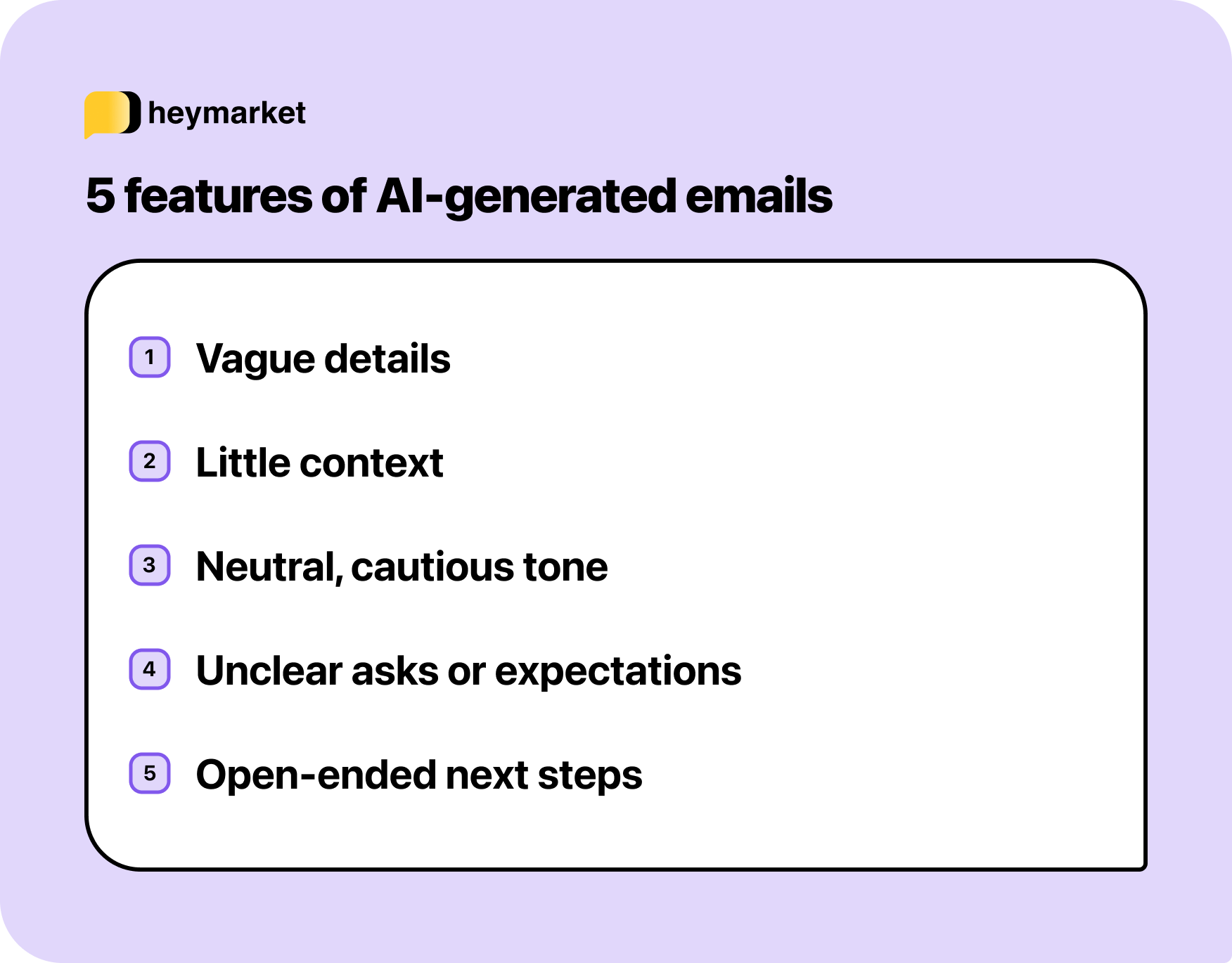
Most emails that “sound AI-generated” aren’t confusing or obviously robotic. They’re usually clear, polite, and well-structured. The issue is that they can feel oddly neutral, like they were written to be acceptable in any situation instead of specifically for this one.
You can see it in how the message handles context. It may mention the right details, but won’t use them to shape the message. The language stays cautious. Decisions are implied instead of stated. Requests feel soft, and next steps remain open-ended.
That middle-of-the-road quality is what makes these messages feel templated. They avoid mistakes, but they also avoid clarity.
Once you understand this pattern, it becomes easier to recognize when an email looks finished but still needs a more intentional pass.
For more information on AI indicators, check out our guide on how to identify AI-generated emails.
6 examples of AI-generated emails
It can be hard to pin down what an AI-generated email actually sounds like in practice, especially when the draft looks finished at first glance. That’s why the examples below focus on real situations where AI is commonly used to help write emails.
Each example includes an AI-generated draft followed by a revised version. The changes are intentionally small, showing how precise adjustments can make the message clearer and easier to act on.
1. Reaching out to someone for the first time
Cold outreach is one of the most common places people lean on AI. It happens at scale, and you generally don’t have a lot of details to work with to truly tailor the message.
You want to sound professional, confident, and respectful of someone’s time, especially when there’s no existing relationship. AI is very good at producing something that feels appropriate but unexceptional.
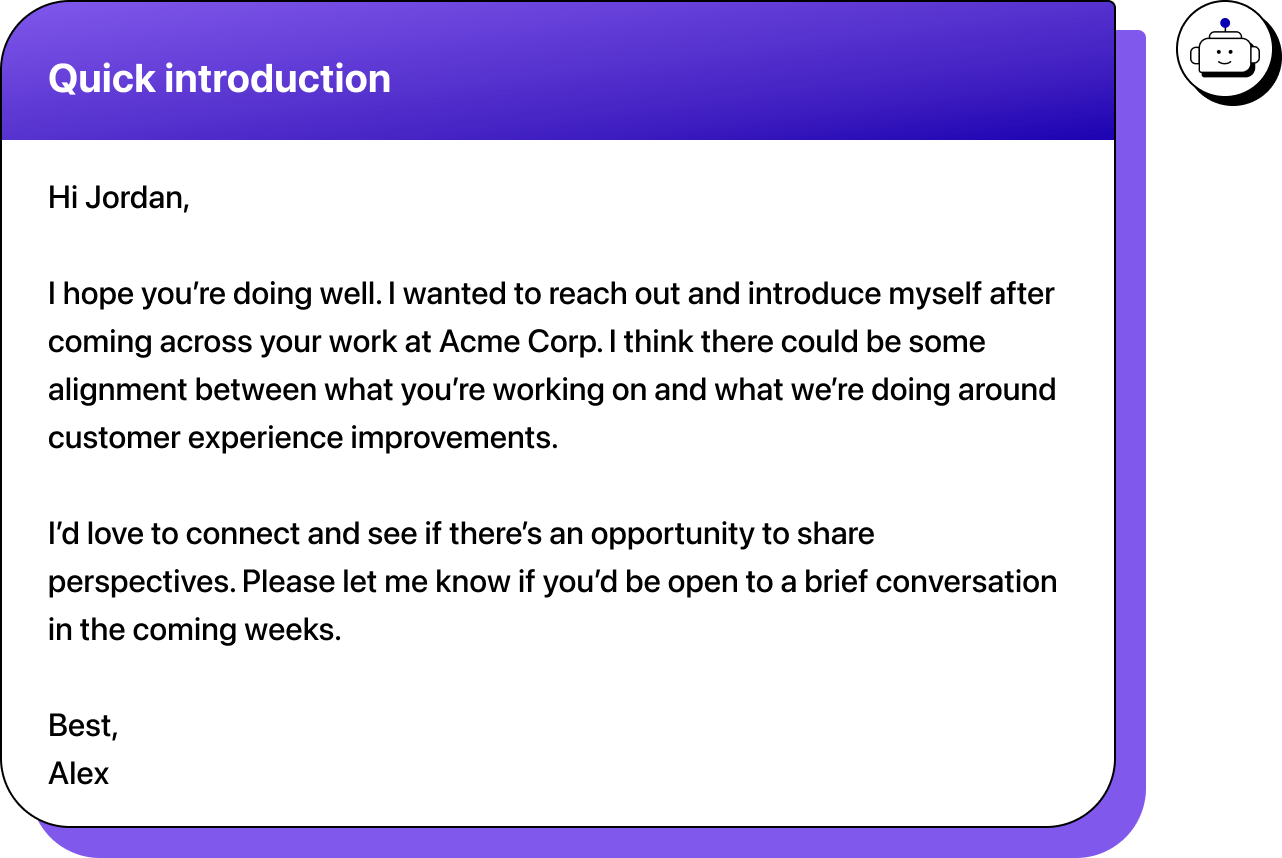
This example names the company and signals a reason for reaching out. Nothing is obviously wrong with it.
But it doesn’t give the reader a clear reason to engage. The alignment is vague. The benefit of the conversation is unclear. The email sounds careful and courteous, but not important enough to warrant a response.
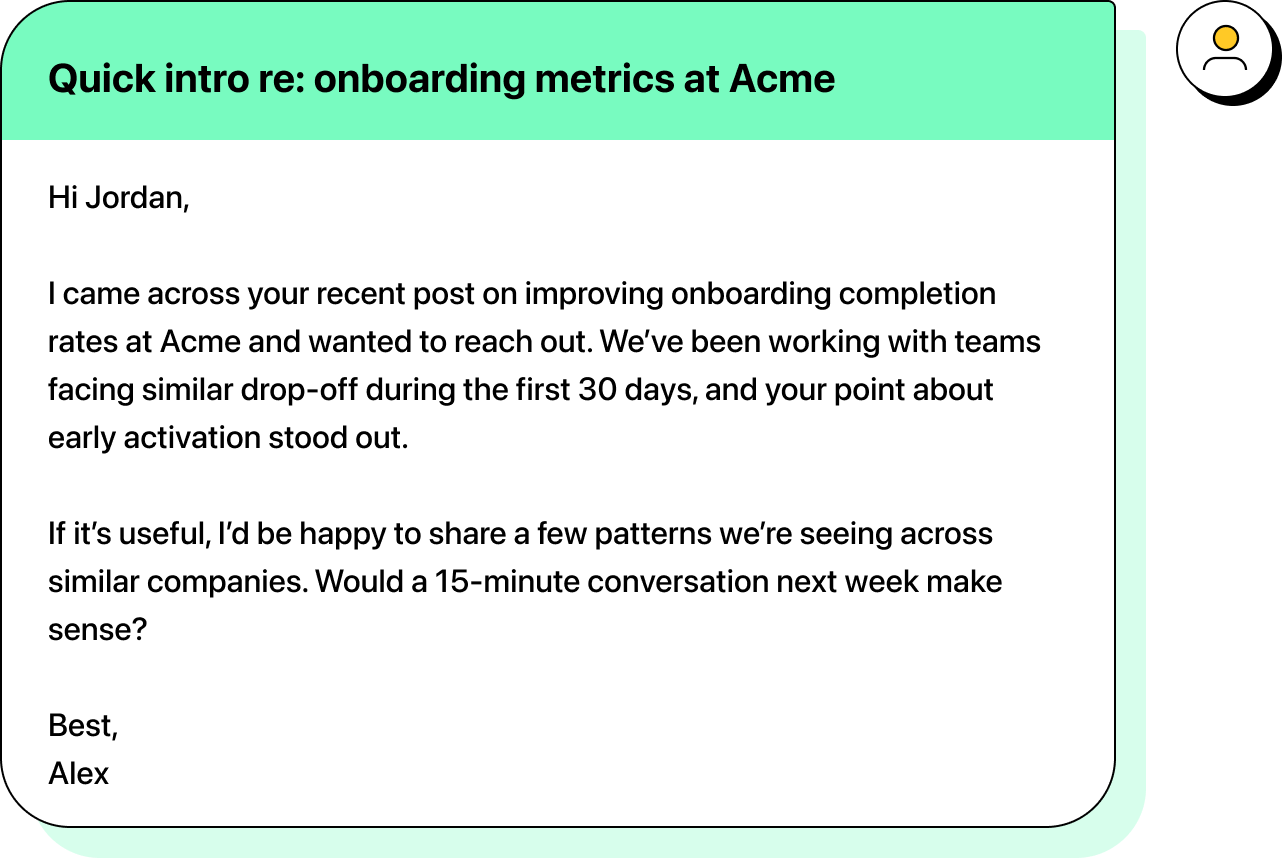
The difference is intent. The revised version gives the reader a clear reason for the outreach, a clearer sense of value, and a specific next step
2. Following up after a conversation
After a meeting or call, AI is often used to write a follow-up email. The draft usually sounds positive and professional, which makes it tempting to send it as-is.
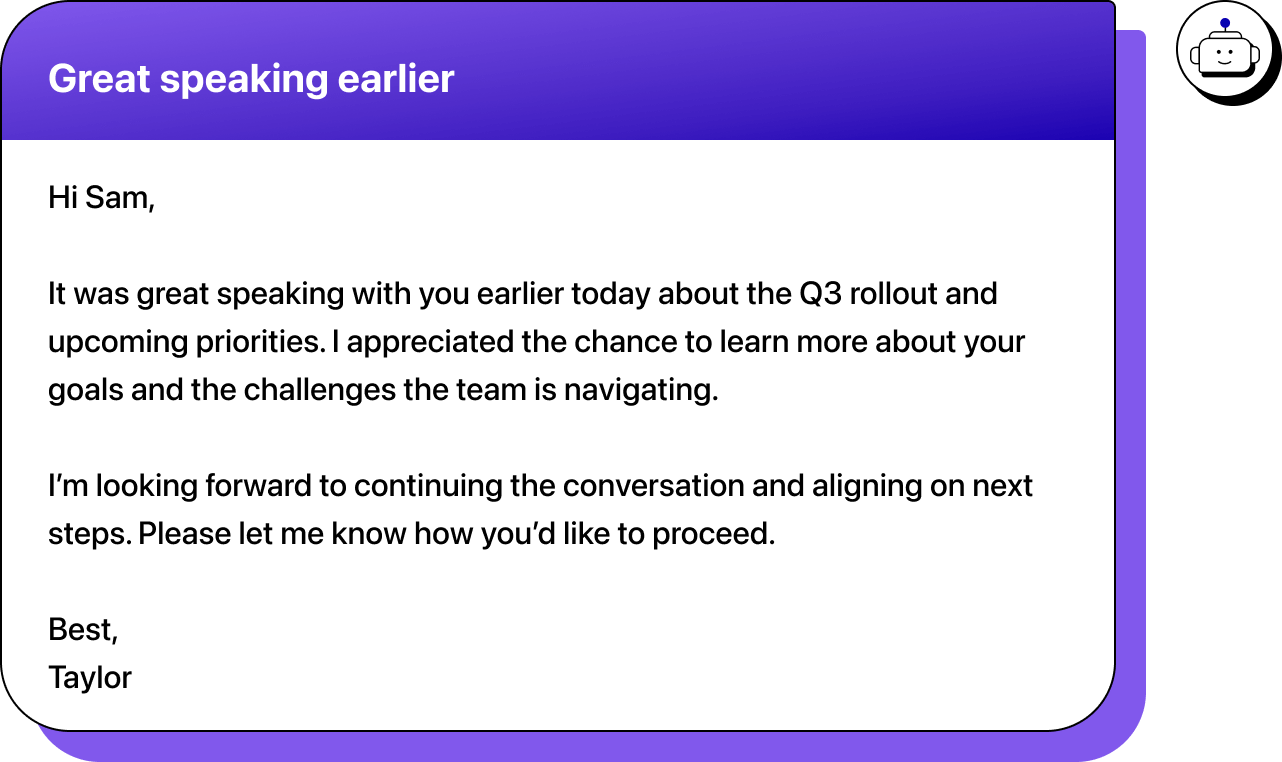
This email references the meeting and the topic, but it doesn’t capture what actually happened. There’s no signal of what mattered most, what decisions were made, or what “next steps” means in practice. By keeping everything open, the email quietly hands the responsibility for moving things forward back to the recipient.
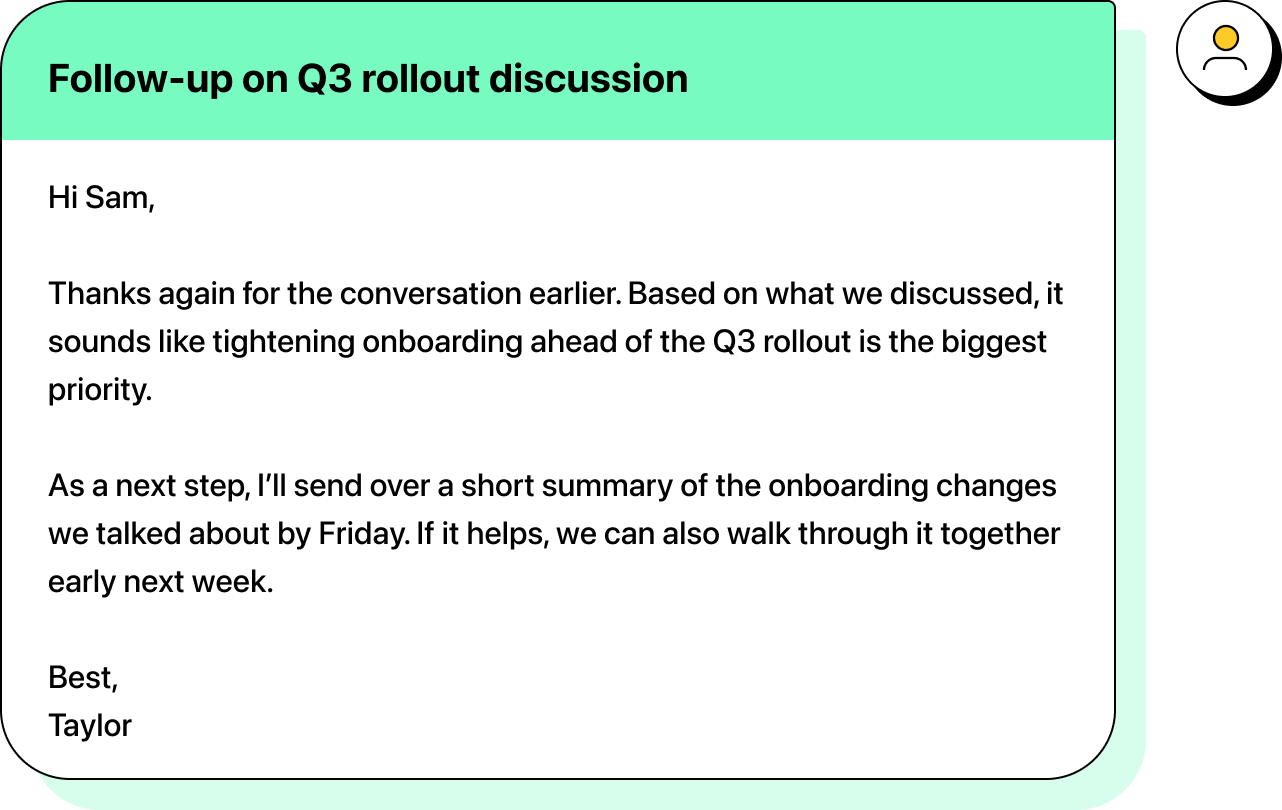
Here, the follow-up reflects the conversation instead of just acknowledging it. The context drives a clear next step, which makes the email easier to act on and keeps momentum from stalling.
3. Closing the loop on a case or issue
When an issue has been reviewed or resolved, people often turn to AI to write a quick wrap-up email. The goal is reassurance and closure, without reopening the conversation unnecessarily.
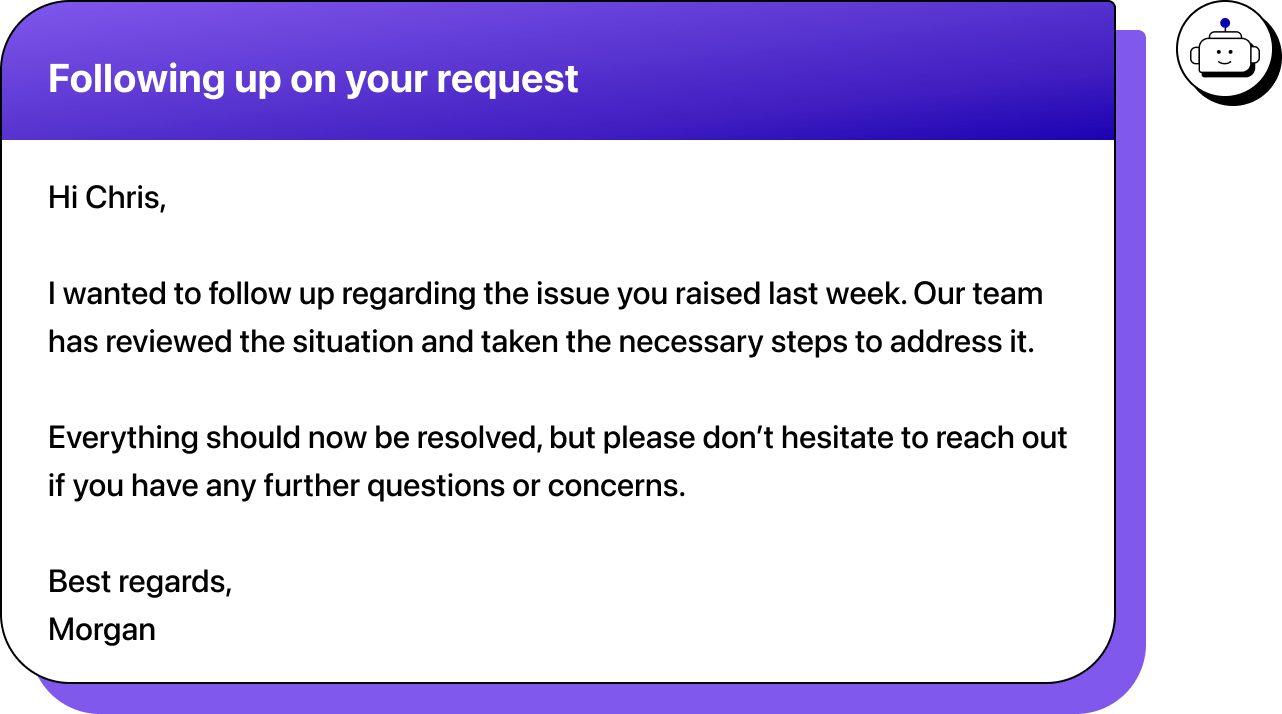
This email acknowledges the issue and signals resolution, but it doesn’t explain what actually changed. There’s no clarity on what was reviewed, what action was taken, or how the reader can confirm the problem is resolved.
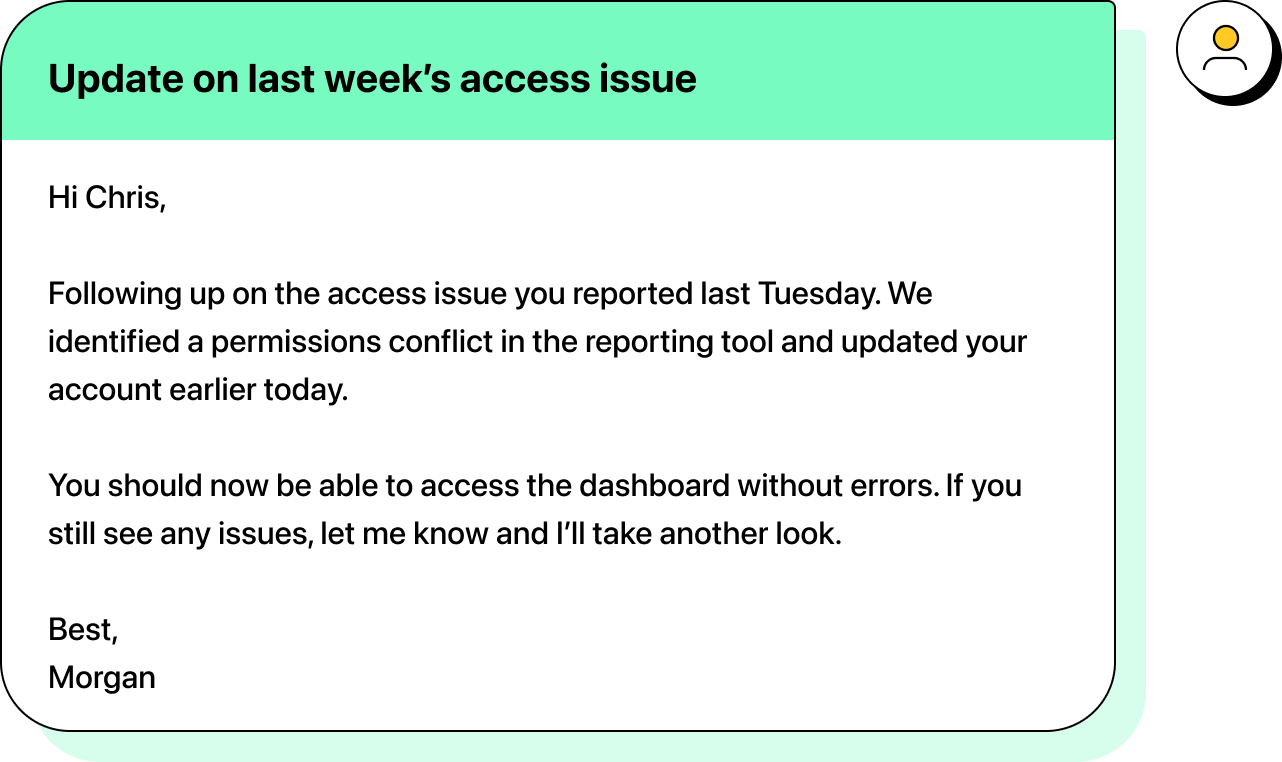
The revised version explains what happened, confirms the outcome, and makes it clear how to respond if something still isn’t right. The case feels closed because the message actually provides closure.
4. Sharing an update or decision
When you need to share an update or communicate a decision, especially to multiple people, AI’s measured-and-professional tone feels like a safe bet.
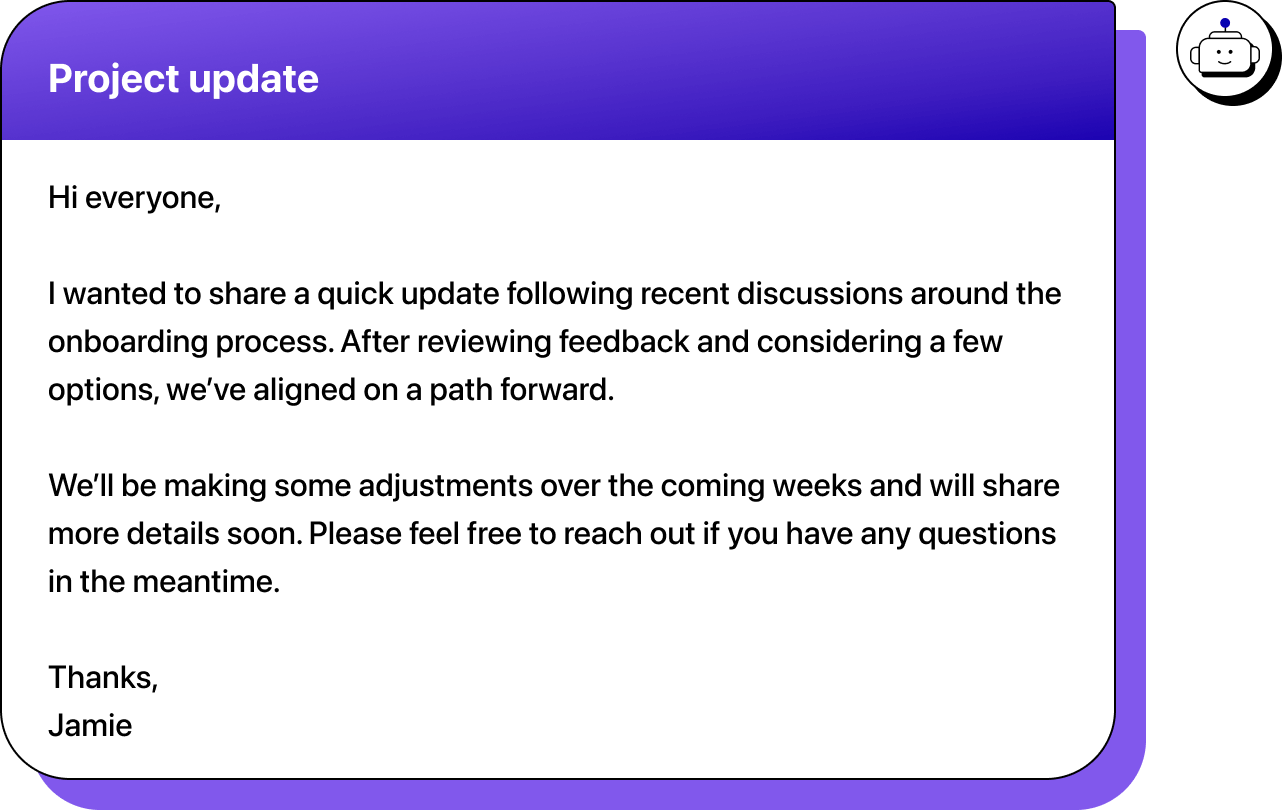
The email signals progress, but it doesn’t actually communicate information. There’s no clear statement of what was decided, what’s changing, or how it affects the people reading it.
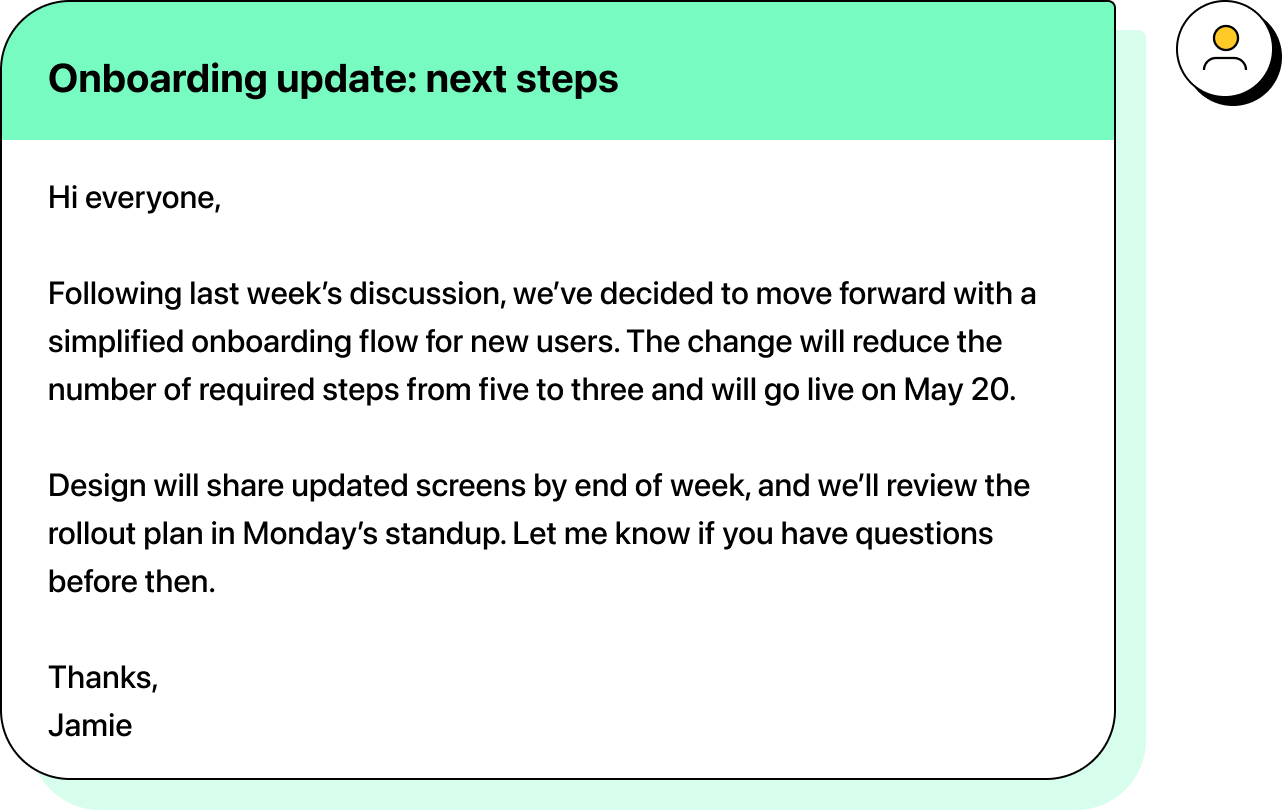
Now, the update provides an explicit decision and gives people something concrete to act on.
5. Sending a billing or account-related notice
Billing emails are one of the clearest places where AI-generated language can work against you. These messages need to be calm, clear, and specific. When AI smooths them out too much, they can end up sounding vague—or worse, suspicious.
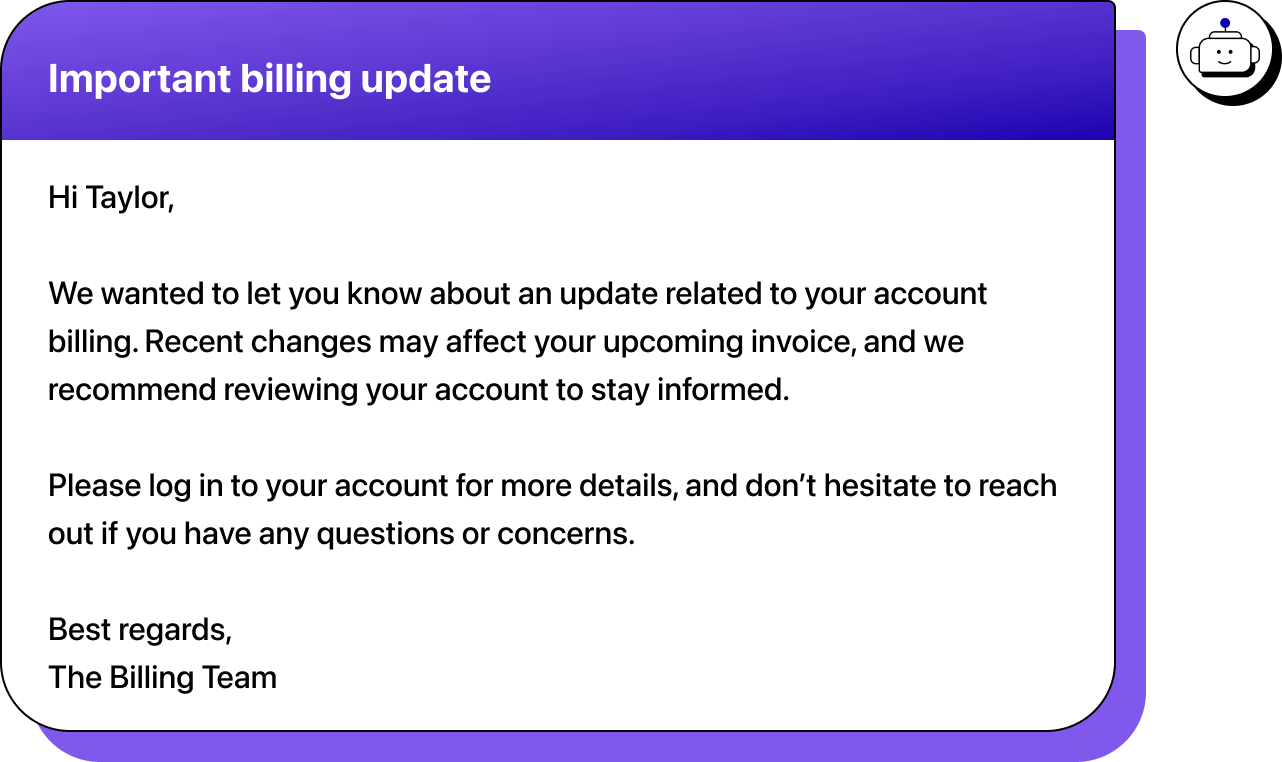
It signals importance and references “changes” without naming them, and asks the reader to log in without telling them what they’re looking for. Even if the message is legitimate, the lack of detail makes it harder to trust and easier to ignore.
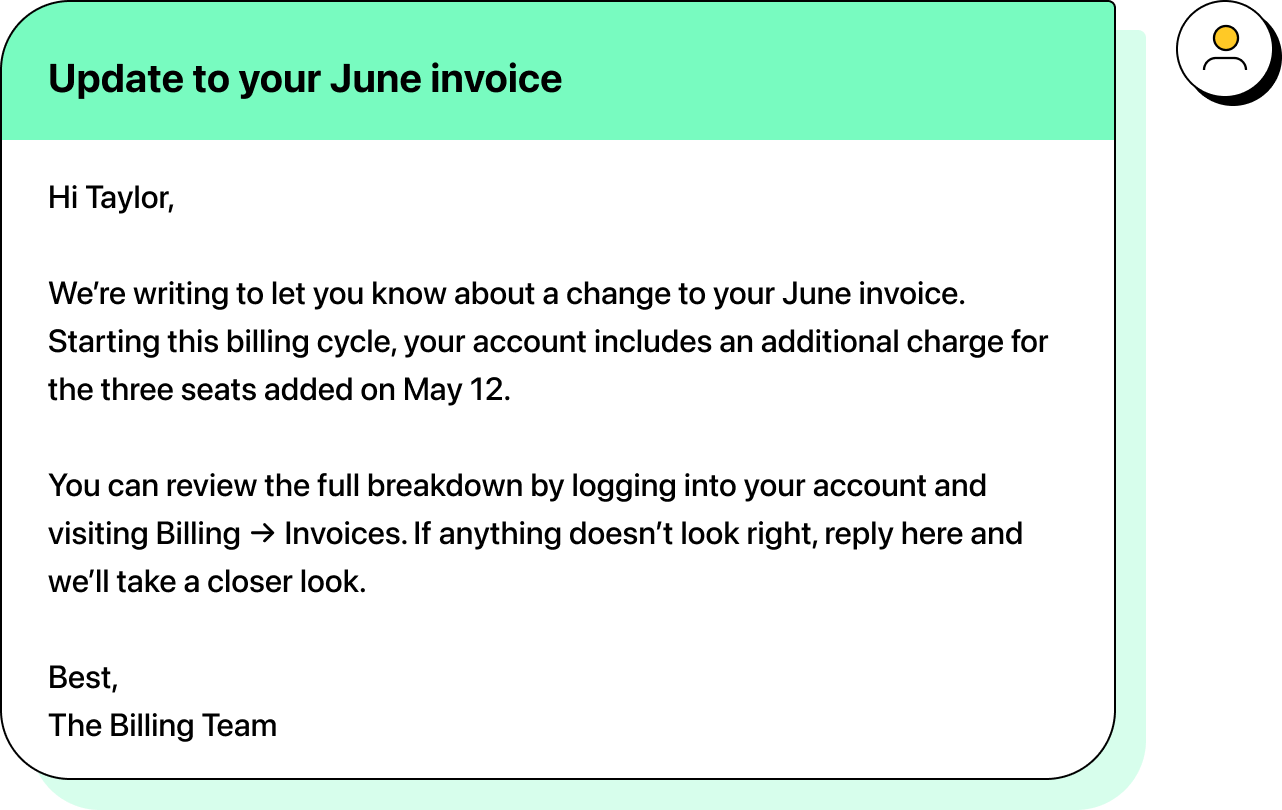
The revised version removes ambiguity by explaining what changed, when it applies, and where to verify it. While it still comes across as important, it gives enough information to let them decide how urgent the notice is.
6. Sending a security or verification-related email
Security emails are high-trust moments. When AI-generated drafts stay vague, they force the reader to pause and decide whether the message is legitimate—which is exactly the hesitation you want to avoid.
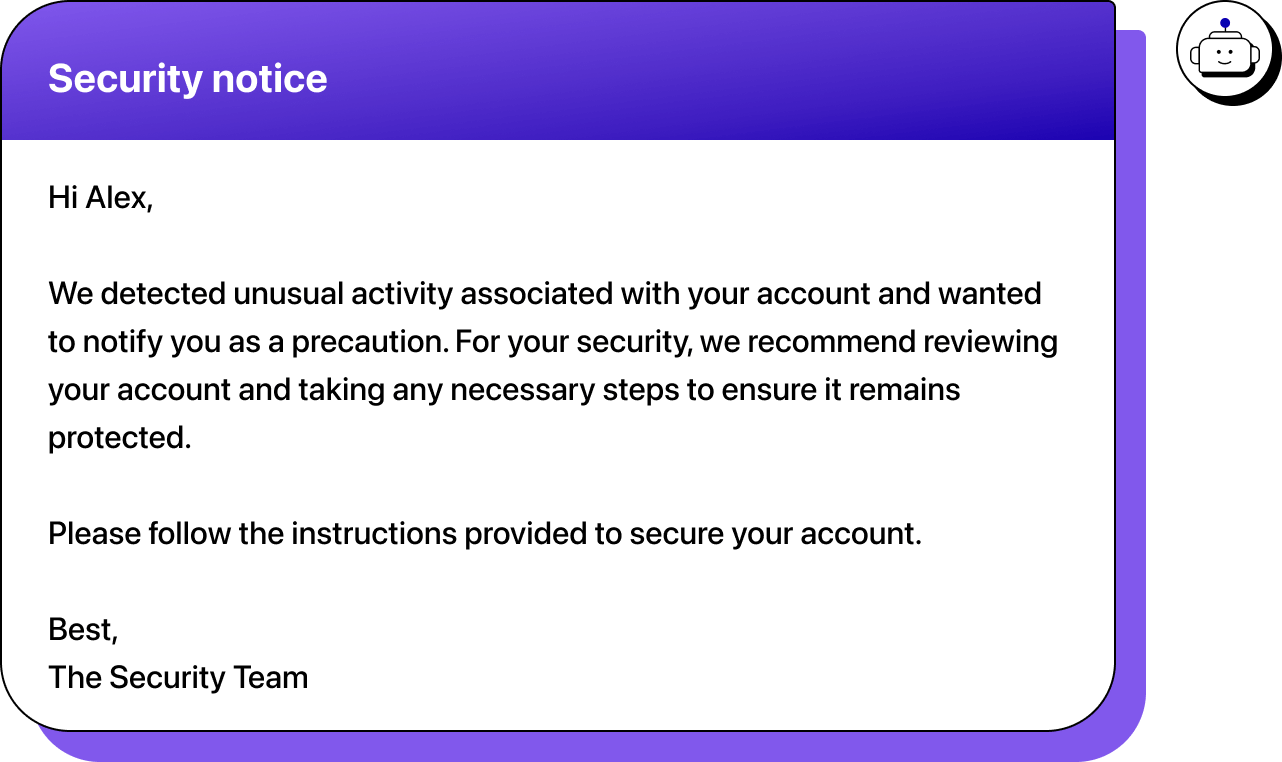
This vague email doesn’t provide enough information to let the reader act confidently. “Unusual activity” is undefined, the timing is unclear, and the required action isn’t distinct. The reader is left deciding whether to trust the message at all.
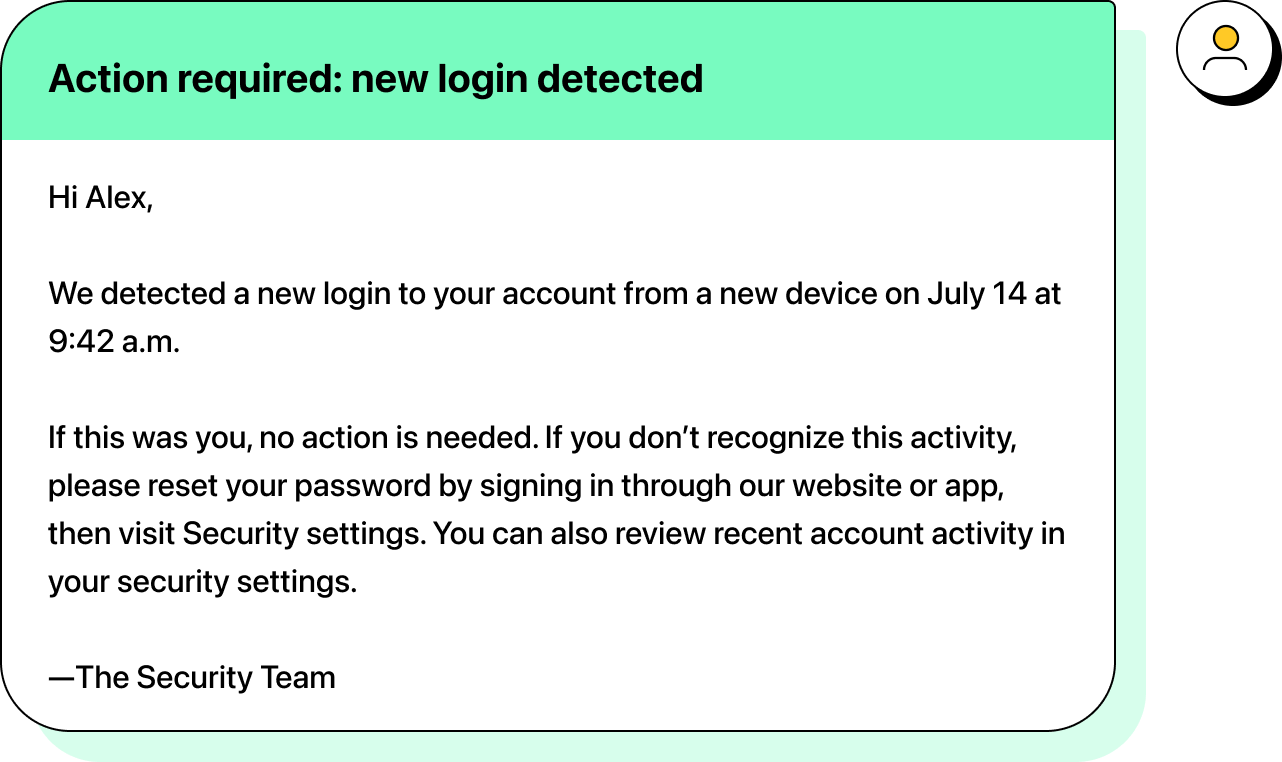
Now, the recipient knows what happened, when it happened, and exactly what to do next.
Before you hit send
AI has made it easier to produce emails that look finished. The risk is that they all start to look and sound the same.
Across the examples we’ve compiled in this article, the drafts follow familiar patterns. They sound complete, but they don’t always give the reader a clear sense of priority or direction. That’s where AI-written emails start to feel like templates—messages that keep the conversation going without actually moving it forward.
When your own AI-written emails start to sound like these examples, they’re usually relying too much on broad, one-size-fits-all wording instead of the specific point you want to make. Even with templates or messaging at scale, small refinements help AI-assisted emails stay fast while making the message more focused and intentional.
That’s ultimately how teams avoid sounding like ChatGPT: not by avoiding AI, but by shaping the draft so the message reflects real judgment and context before it’s sent.
Need help polishing your emails before sending? Check out Heymarket’s free AI-powered email generator.

