x
Sign Up
Free trial. No credit card required.
Email already taken. Please sign in or try another email.
I agree to the terms of service and privacy policy.
Please agree to the terms of service and privacy policy to continue.


Free trial. No credit card required.
Please check your email.
We've sent you an email. Please check your inbox and follow the link provided to verify your email address.

Learn how Heymarket can help your business create personalized conversations at scale.
Book a DemoHeymarket brings texting and email into Pipedrive so your team runs customer conversations from the records they already work in. Turn incoming messages into action instantly with automations. Reps reply faster, your CRM stays current on its own, and nothing gets copied between systems by hand.
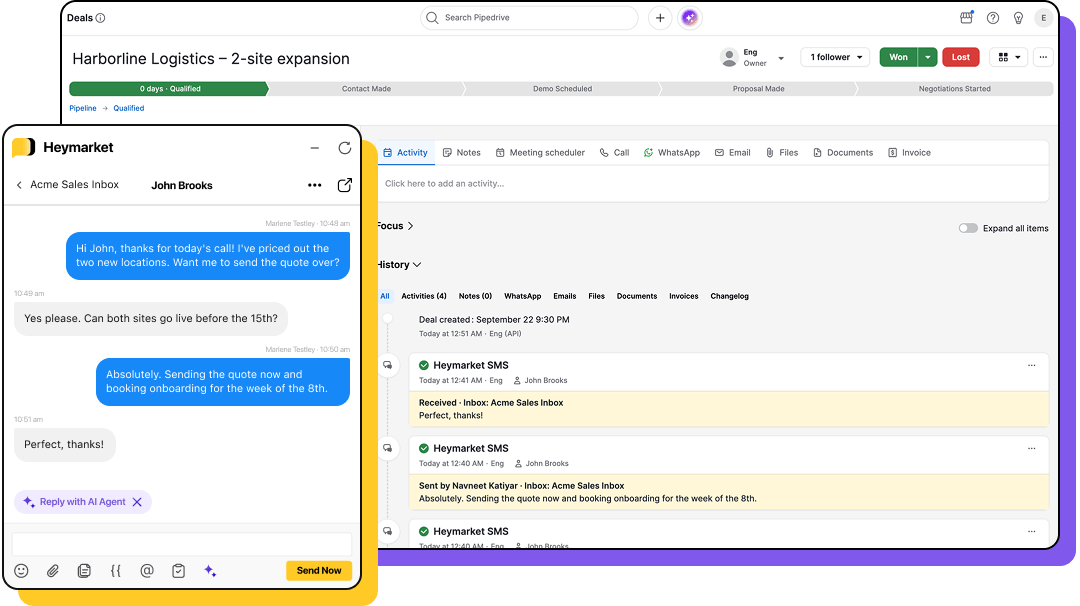
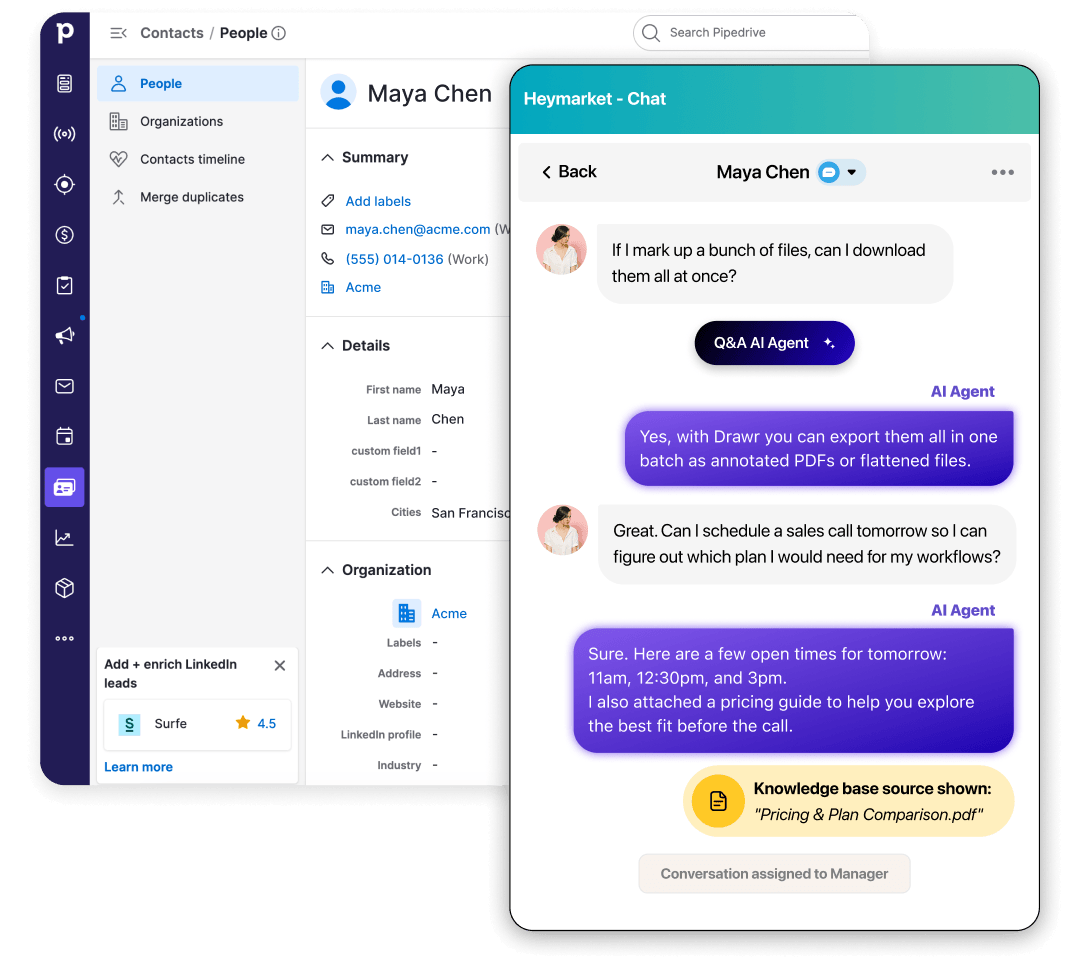
Open a person or deal and the Heymarket panel loads the conversation beside it. Send a text or an email, drop in a template, and reply without opening another tab. Every rep sends from their own assigned inbox.
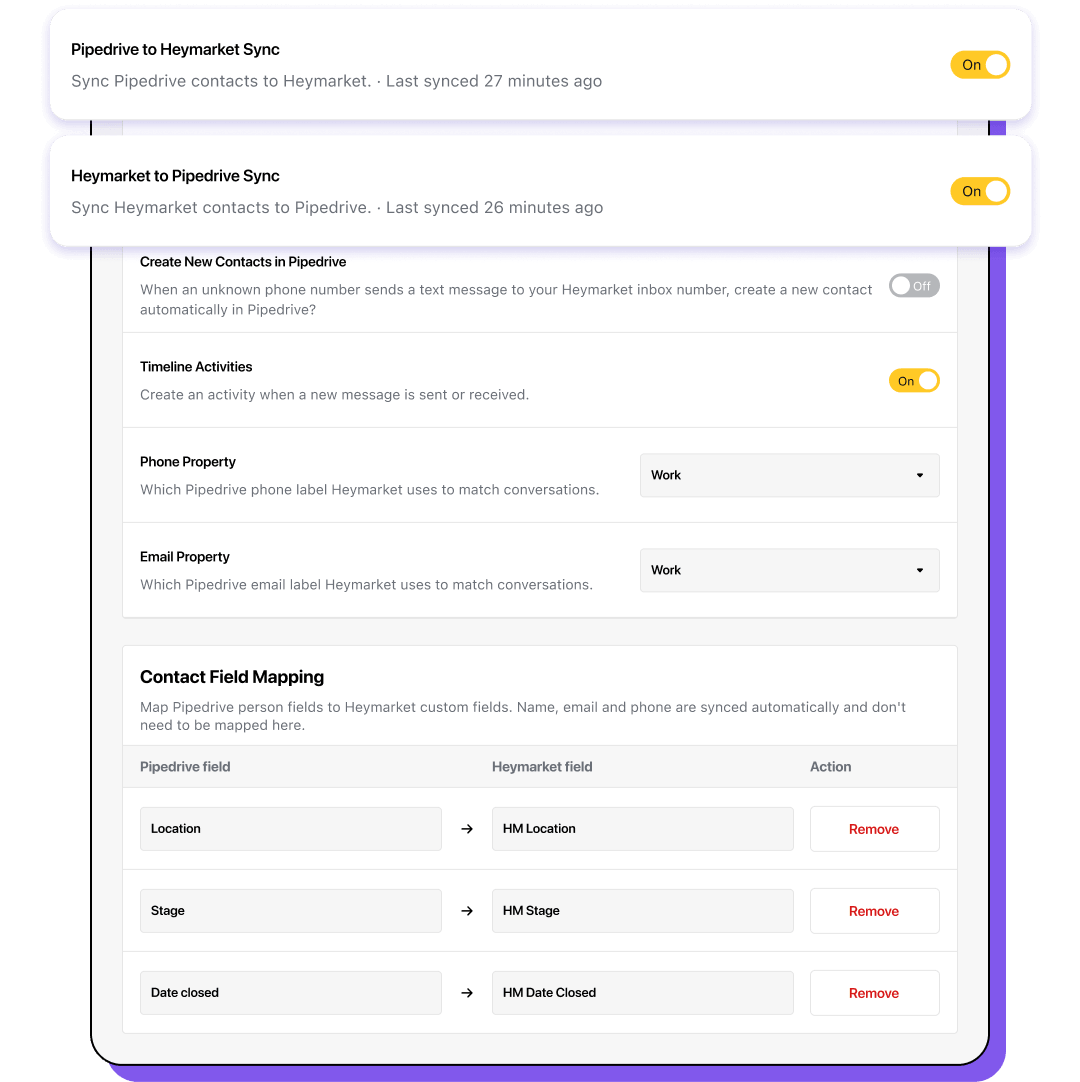
Choose whether contacts flow into Heymarket, out to Pipedrive, or both ways. Heymarket keeps name, phone number, and email matched in whichever direction you pick. Pair your own Pipedrive fields with Heymarket custom fields and those values move too. Edits made in Pipedrive reach Heymarket within seconds.
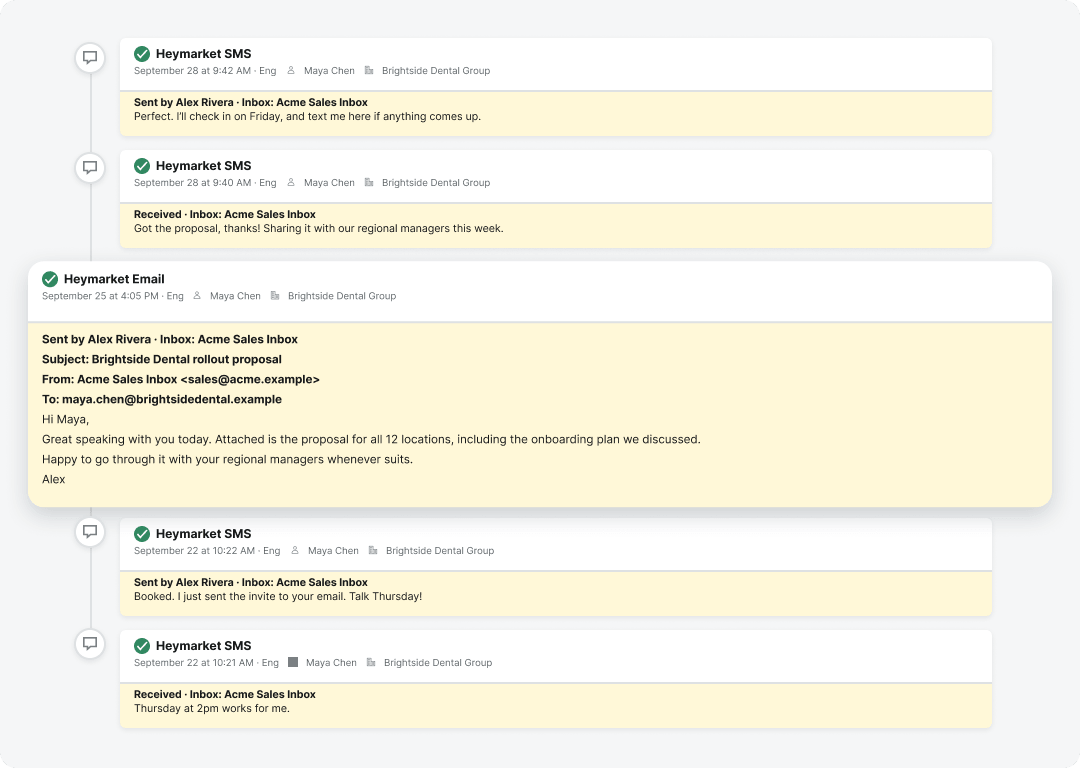
Texts and emails log to the timeline as completed activities, dated to when they were sent or received. Each one names the direction, the rep, and the inbox it used, with the message body underneath. Older conversations land in the right place rather than all at today’s date.
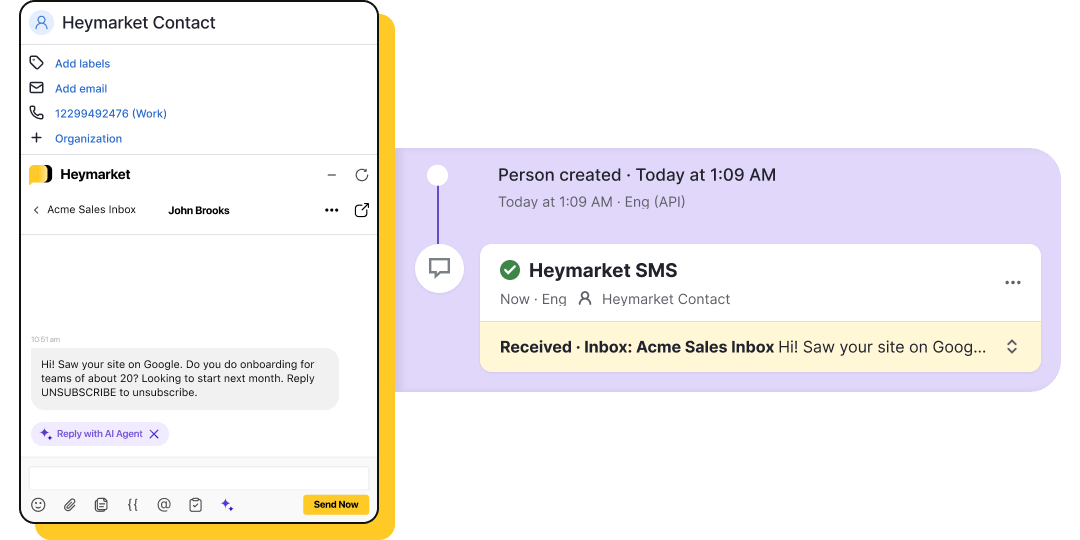
Heymarket creates a contact when an unrecognized number texts or emails your inbox, adds them to Pipedrive, and logs the message on their new timeline. The lead is in your CRM before anyone has typed a reply.
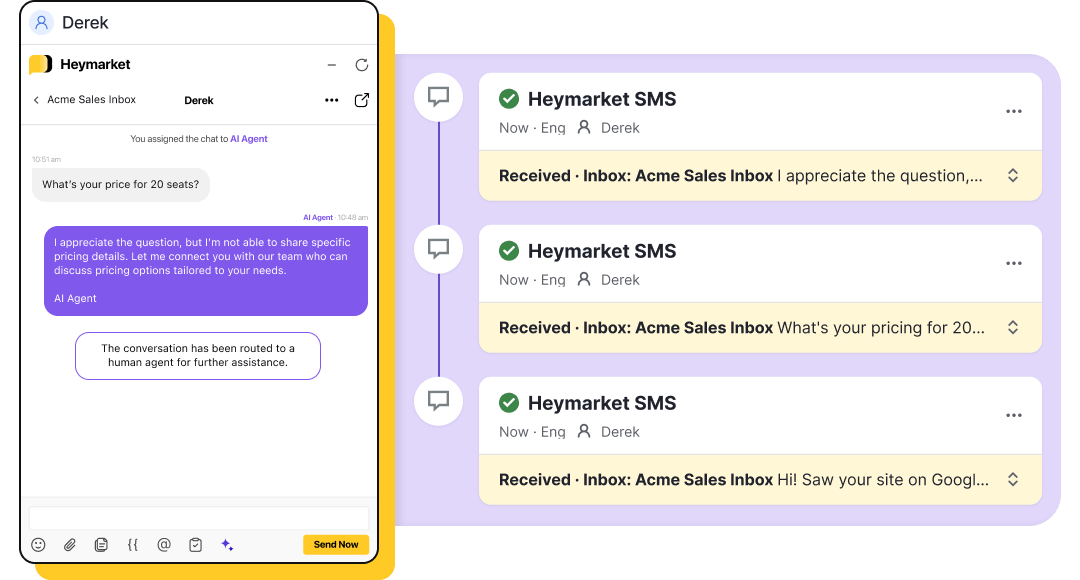
AI agents work in the same inbox the panel opens. Let one answer common questions, book and reschedule appointments, and pass the conversation to a rep when it needs one, or keep it in supervised mode to approve each reply before it sends. Agent messages log to the timeline like any other.
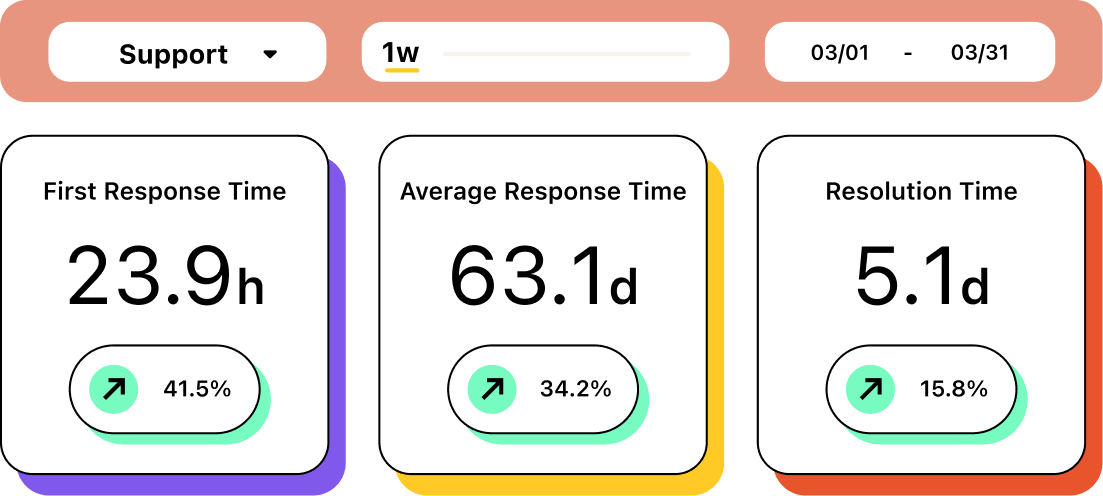
See how long your team takes to reply to leads coming out of Pipedrive, including the ones texting or emailing in for the first time. Reports compare response times and message volume across inboxes and teammates, so sales and support can be held to their own targets.
Keep the conversation on the record it belongs to. Install Heymarket from the Pipedrive Marketplace and your team can text from any Pipedrive record.
Book a Demo Get Heymarket for PipedriveLooking for more on messaging from Pipedrive? Here are the questions we hear most. Reach out to our team for anything we haven’t covered.
Can you send text messages from Pipedrive?
Pipedrive has no native SMS. Texting comes from an integration like Heymarket, which adds a panel to the Pipedrive interface. Open a record and the panel finds the contact by phone number or email and opens their conversation, so a rep can reply without leaving Pipedrive.
How does the Heymarket Pipedrive integration work?
A Heymarket administrator connects the two accounts, either from the Pipedrive Marketplace or from Administration and Integrations inside Heymarket. Both sides need admin access. Then choose your sync directions, map any custom fields, and click Synchronize. Nothing moves between the systems until you do.
Which channels can I use with the Pipedrive integration?
The panel is your Heymarket inbox, so the channels your team already uses are all there, including SMS, MMS, RCS, email, Instagram, and Facebook Messenger. Texts and emails all log to the Pipedrive timeline.
Where do messages show up in Pipedrive?
On the contact’s timeline, as completed activities. Each one shows whether the message was sent or received, who sent it, and which inbox it used, with the message body below. Emails log the same way and keep their subject line.
How often do Pipedrive and Heymarket sync?
Edits to a contact in Pipedrive reach Heymarket within seconds. A full sync cycle runs every 30 minutes in each direction you have switched on, and an admin can start one on demand. Messages post to the timeline continuously, usually within about half a minute.
Does the integration sync deals and organizations?
Contact sync covers Pipedrive persons, so deal and organization data stays in Pipedrive. Field mapping works the same way, pairing Pipedrive person fields with Heymarket custom fields.
Can Pipedrive automations send a text message?
Not directly. Pipedrive’s automation builder has no send-message action for Heymarket, so a deal changing stage won’t fire a text on its own. Messages do log to the timeline as activities, which Pipedrive automations can act on. Automations that send run in Heymarket.
Do Heymarket AI agents work with Pipedrive?
Yes. AI agents run in the same shared inbox the Pipedrive panel opens, answering routine questions and handling scheduling, with handoff to a teammate when a conversation needs one. Messages an agent sends or receives log to the timeline like any other.