


As a professional or business, a well-written email shows readers that what you’re saying is worth their attention. Whether you’re calming a frustrated customer, reaching out to a new lead, or responding to a job offer, you want to make sure they receive your message the way you intended: respectfully, and with real thought behind it.
That’s true whether you’re writing one email or a hundred. At the individual level, a polished message builds credibility with the people you’re trying to reach. For teams, it shapes how your organization comes across at every touchpoint, which impacts how customers see and engage with your brand.
The good news is that polishing an email doesn’t require starting over. With the right approach, and a tool that makes it easier, you can create professional emails without spending more time than you need to.
Here’s what you need to know.
What a polished email actually looks like
A polished email earns a response without the recipient having to work for it. The subject line sets the right expectation, the opening delivers on it, and the next step is easy to understand. When all of that comes together, the email feels clear, intentional, and worth responding to.
Polished emails are typically:
- Clear from the first few lines: The recipient can quickly understand why you’re writing and what the message is about without having to search for the point.
- Focused on a single purpose: Even when an email includes multiple details, the main takeaway or request stays consistent throughout the message.
- Respectful of the reader’s time: The email includes the context the recipient needs, but avoids unnecessary repetition or long explanations that slow the message down.
- Appropriate for the relationship: A message to a client, manager, vendor, or teammate may all need a slightly different tone, but each should feel appropriate for the situation.
- Consistent in tone: It maintains the same level of professionalism throughout, so the message feels cohesive rather than overly formal in one section and overly casual in another.
- Easy to respond to: Whether you’re asking a question, sharing an update, confirming a decision, or requesting action, the recipient should know what to do next.
Polished emails also feel complete. Supporting details, relevant context, and important information are included where they’re needed, so the message doesn’t create confusion or require multiple back-and-forth clarifications afterward.
From the sender’s side, a polished email is one you can read back and feel confident about before hitting send. Not just that the information is right, but that the way it’s written fits the relationship you have with the person receiving it. Meeting that expectation takes a little bit more time than sending off your first draft, but when the message matters, it’s worth it.
5 tips to help you polish your emails
The challenge with editing your own writing is that you already know what you meant to say, so your brain fills in gaps the reader will actually encounter. These tips are about reading what you wrote as someone who doesn’t have that context, and catching what the first draft missed before it goes out.
1. Make sure your point is front and center
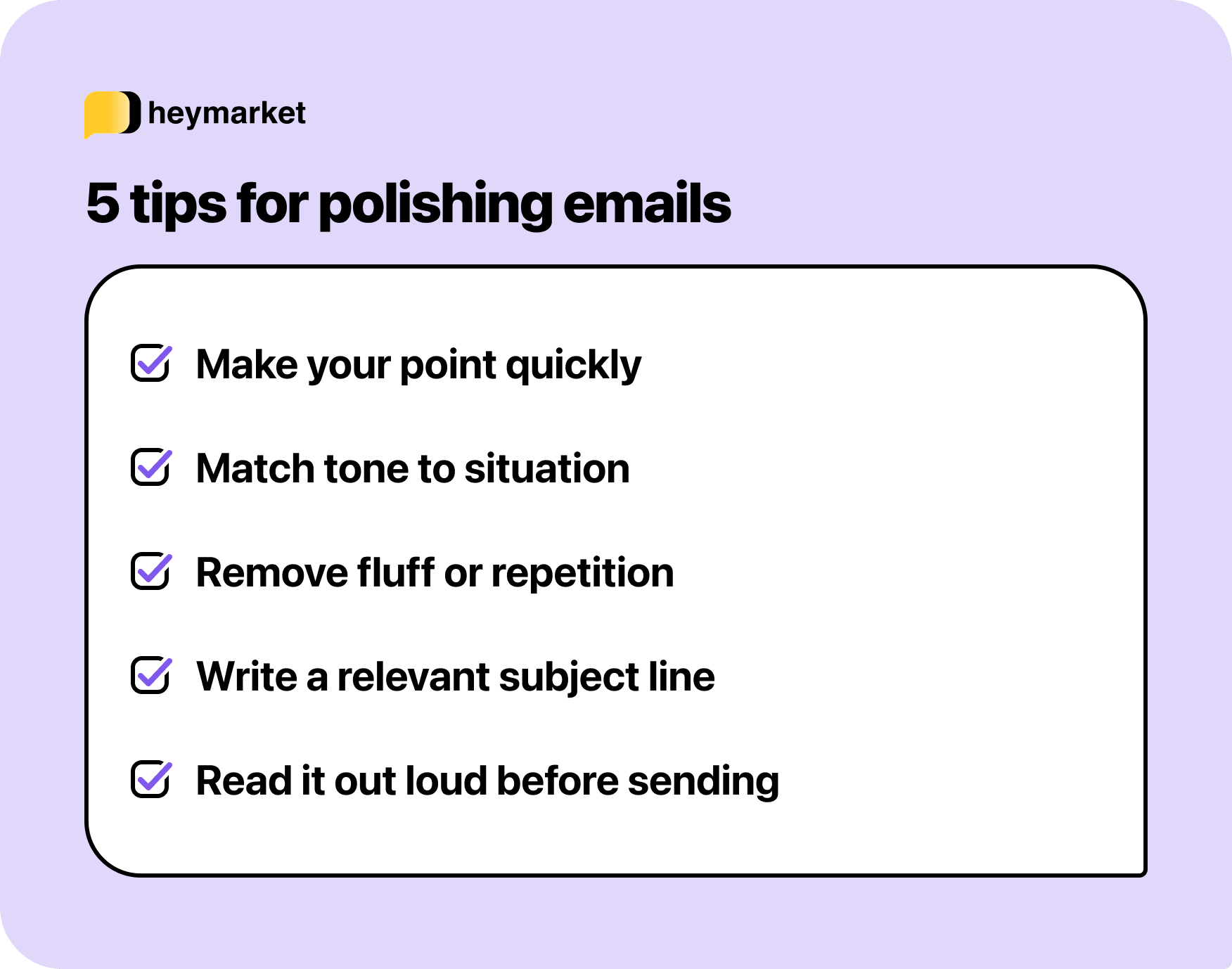
On a second read, start at the top and ask whether your main ask is actually the first thing the recipient encounters. If you find yourself reading through excess background, context, or pleasantries before reaching the point, move it up. The rest of the email can still provide the supporting detail, it just shouldn’t be what leads.
2. Read for tone, not just content
Content is easier to check than tone because it’s concrete—either the information is right or it isn’t. Tone is subtler, and a draft that’s factually accurate can still send the wrong signal.
Read back through, specifically asking whether the voice fits the relationship: formal enough for the context, but not so stiff it creates distance that wasn’t there before. That calibration is especially important in external communications, where the recipient is forming an impression of you or your organization at the same time they’re reading the message.
3. Cut what’s redundant
A second read is a good opportunity to catch sentences that are doing the same job twice. This shows up as restating something you’ve already established, or providing context that the recipient doesn’t need to act on your ask. Cutting those doesn’t change the message; it just makes the version that remains easier to read.
4. Review your subject line against the email
By the time you’ve finished writing, your subject line may no longer reflect what’s actually inside. Read it back against the finished email and ask whether it sets the right expectation. A subject line that accurately previews the content gets opened and responded to faster—and for internal messages, it makes the email easier to find when someone needs to reference it later.
5. Read it aloud before you send
Reading your draft back out loud catches things that rereading silently doesn’t, like phrasing that looks fine in text but sounds off the moment you hear it, and sentences that run longer than they need to when you run out of breath.
If you have time, stepping away for even a few minutes before that final read can also change what you notice. You return to it with fresh eyes, closer to how the recipient will experience it.
Tools that can help you polish emails
Good habits get you most of the way there, but tools can help with the mechanical work that’s easy to miss, and support polishing at scale when you need to move faster.
- Grammar and spell checkers ensure the basics are covered before anything else. Errors that slip through in your own writing—typos, punctuation, grammatical mistakes—are the first thing a recipient notices, and the easiest to avoid with the right tool. Grammarly is the most widely used option and works across most email clients and browsers.
- Tone and clarity tools help ensure your message lands at the right level for your audience—readable, direct, and free of the kind of dense phrasing that loses people mid-email. The Hemingway Editor is a common choice, built around readability scoring and flagging sentences that are working harder than they need to.
- AI email polishers create new versions of your existing draft, sharpening the language, adjusting the tone, or restructuring a message that isn’t quite landing. Because they work with what you’ve already written, the new version will incorporate any specific details your draft included, like names or figures, so you don’t have to add them back later.
For individuals, even one of these tools used consistently makes a noticeable difference. For teams sending at volume, the case is stronger; the more emails going out, the harder it is to maintain that standard without some additional help.
Polishing professional emails is always worth it
Every email you send is a small representation of how you communicate. The ones that get responses, move things forward, and leave the right impression are the result of someone taking the time to make sure the message worked before it went out. That’s a standard anyone can hold to, especially with polishing tools, and it gets easier the more consistently you do it.
Heymarket’s free AI email generator helps you get there faster, refining your drafts so every message goes out polished, whether you’re managing your own inbox or coordinating across a team. And if you want to start generating context-aware emails from your customer conversations in seconds, check out our AI messaging tools.

